




Never miss an online order: chimes and pushes
An online order that nobody accepts is a customer waiting. What rings where in Bill&Go, why a device can stay silent, and a five-minute check for your counter.
An order from the counter has a person standing in front of you. An online order has only a line on a screen, in a loud room, at the busiest hour of the day. If nobody sees it, the customer waits and then gives up.
Bill&Go has two ways to reach you: a chime from the POS itself, and a push notification to your phone or tablet. They work differently, and knowing how helps you avoid the silent counter.
The chime: the open POS
When a new online order or a table’s order comes in, the POS plays a chime, on the web POS and in the POS app. It checks every ten seconds, on any screen, as long as the POS is open and a shift is open.
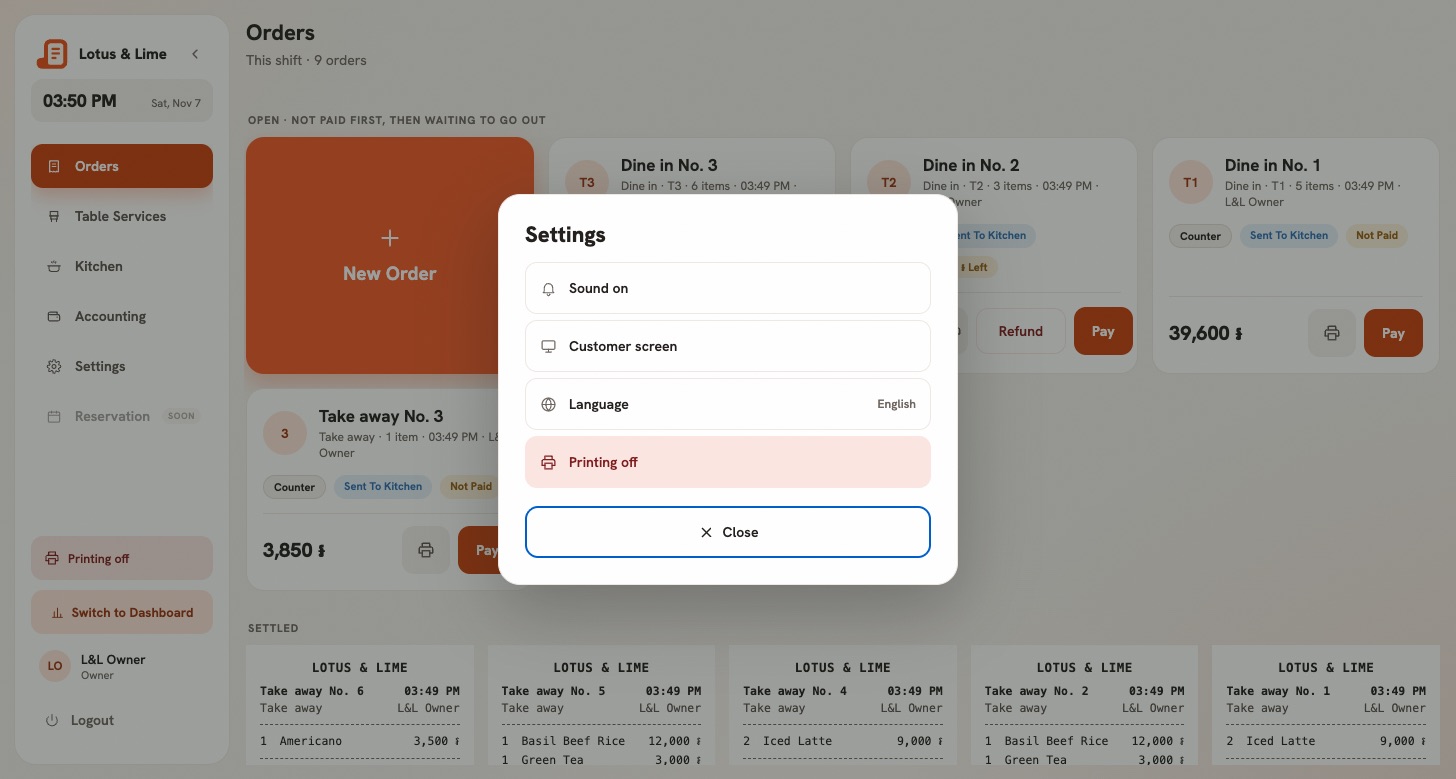
- In the POS app, the switch is Chime for new orders, under Sound in Settings. It is on until someone turns it off, and it stays that way on that device.
- On the web POS, it is Sound on or Sound off in Settings. A browser only lets a page make sound after one tap on it, so tap the POS once after opening it.
- A muted web POS shows a crossed-out bell on Settings, so a quiet counter is not a secret.
In the app, the chime follows the device’s media volume, not the ringer, and it plays with an iPhone’s silent switch on. It mixes with other sound, so your music keeps playing.
The push: everywhere else
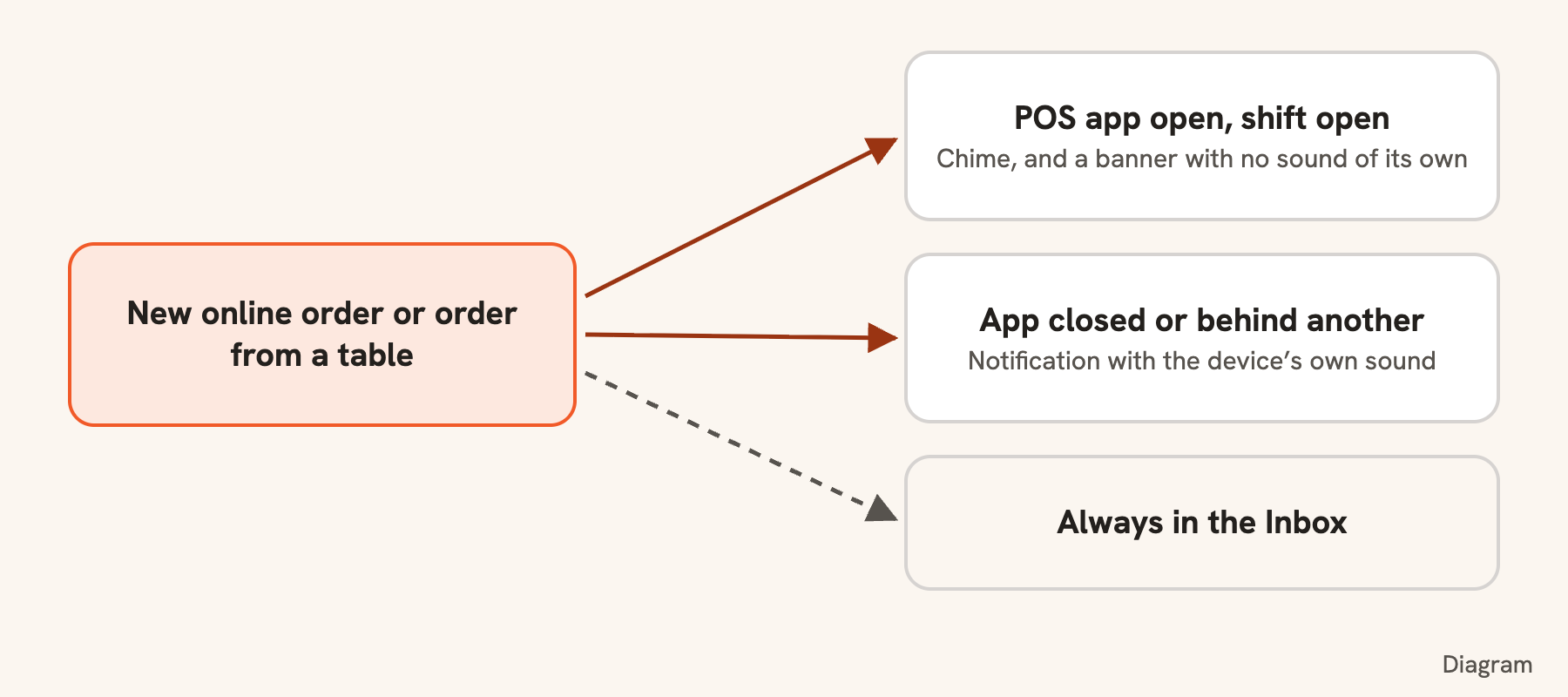
A push works when the app is closed or behind another one. A new online order goes to the owner, the managers and the staff at that store, in the POS app. If anyone has a shift open, only they hear it on the POS app, so the whole team’s phones do not ring on their day off. If nobody does, everyone at the store hears it, so an order is never announced to an empty room. Owners and managers also get it in the Console app.
Every notification also lands in the app’s Inbox, so a phone that was off misses nothing. A new order counts as urgent: it still rings between 22:00 and 07:00, when everyday events go to the inbox without a sound.
How the two work together
- With the app open, the chime is the one sound: the push still shows a banner, without its own sound.
- With the app closed or behind another one, the push rings with the device’s own sound. The chime switch does not touch it.
- Someone who works at two stores keeps the push’s sound for the store this POS is not watching.
Why a device stays silent
- No shift is open. The POS app listens for online orders once the POS is open for sale.
- The media volume is down. The ringer may be up and the chime still silent.
- The web POS was never tapped. The browser holds the sound back until it is.
- Notifications were refused. In the POS app, the inbox offers Turn on notifications.
- The switch for that event is off. Each event has its own, under Notification settings.
A five-minute check
- Open Settings at the counter, and flip the chime off and on: turning it on plays it once. Turn the volume up until you can hear it over the room.
- Open the inbox and make sure notifications are on.
- Put the Console app on the owner’s or the manager’s phone as a second pair of ears.
- Send yourself a test order from your pick-up link, with the app open and then closed.
If it is still missed
With more than one branch, the owner can switch on Share online orders between branches in Settings → Online orders and set the minutes a branch has to accept. An order not accepted in time moves to the quickest branch, and the customer keeps their price and reference. See Hand an order to another branch.
Tip. The details are in The chime for new orders and Notifications and the inbox.
Questions
Does the Bill&Go POS make a sound for new online orders?
Yes. The web POS and the POS app play a chime for new online orders and orders from tables while they are open, and it can be muted on each device.
Will I hear an online order with the app closed?
Yes, if notifications are on: it comes as a push with the device’s own sound, and it lands in the inbox too.
Do new orders ring at night?
Yes. A new online order is urgent, so it still rings during quiet hours, 22:00 to 07:00 shop time. Everyday events go to the inbox without a sound.
Still stuck?
Tell the Bill&Go team in Phnom Penh what you were trying to do, and we'll walk you through it.