




The chime for new orders
The POS plays a sound for new online orders and orders from tables. How to mute it, and what the switch does not cover.
- Who
- Everyone at the POS
- Where
- POS → Settings → Sound
When an online order or an order from a table comes in, the POS plays a chime, so nobody has to watch the screen. The order then waits for someone to accept or turn it down.
In the POS app
- Open Settings.
- Under Sound, switch Chime for new orders on or off.
- It is on until someone turns it off. The choice stays on that device, whoever signs in.
- Turning it on plays the chime once, so you can hear it.
- It plays on any tab while the app is open and a shift is open.
- Its loudness is the device’s media volume, not the ringer. On an iPhone or iPad it plays with the silent switch on.
- It mixes with other sound, so the shop’s music carries on.
On the web POS
Press Settings on the side rail, then Sound on or Sound off. Each computer or tablet remembers its own. A browser lets a page make sound only after one tap on it, so tap the POS once after opening it. While the sound is off, the Settings button shows a crossed-out bell.
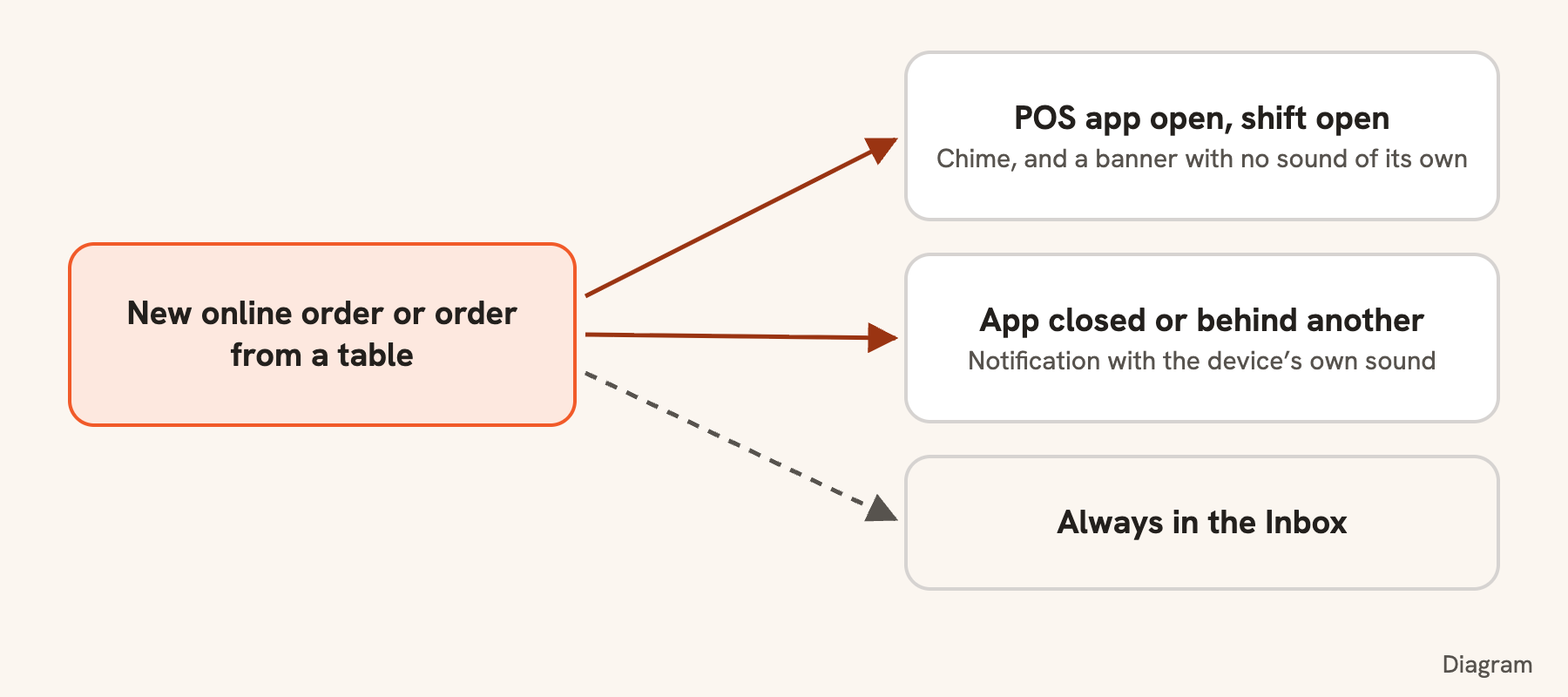
What the switch does not cover
- It is about the open app. With the app closed or behind another one, a new order comes as a notification with the device’s own sound, muted or not.
- While the app is open and muted, those orders still show as a banner, with no sound.
- An order for another of your stores keeps the notification’s sound, because this POS is not watching that store.
To silence notifications too, use Notification settings: see Notifications and the inbox.
Still stuck?
Tell the Bill&Go team in Phnom Penh what you were trying to do, and we'll walk you through it.