


Pay later at the POS: delivery apps, cash on delivery and regulars who pay at the end of the month
Not every order is paid at the counter. How Bill&Go closes a Grab order with one tap, lets your rider take the cash at the door, and keeps track of who owes what, and how to turn each one on or off.
A busy shop in Phnom Penh takes money in more ways than cash and KHQR. Grab and foodpanda collect from the customer and pay the shop at the end of the week. Your own rider brings the cash back after the drop. And the office next door eats on account and settles at the end of the month.
Until now, the POS treated all of these as orders still to pay. They sat with the open orders, the shift said they were unpaid, and the cashier had to remember which ones were really fine. Bill&Go now closes each of them the way it is really paid.
Paid by Grab: one tap, the simple way
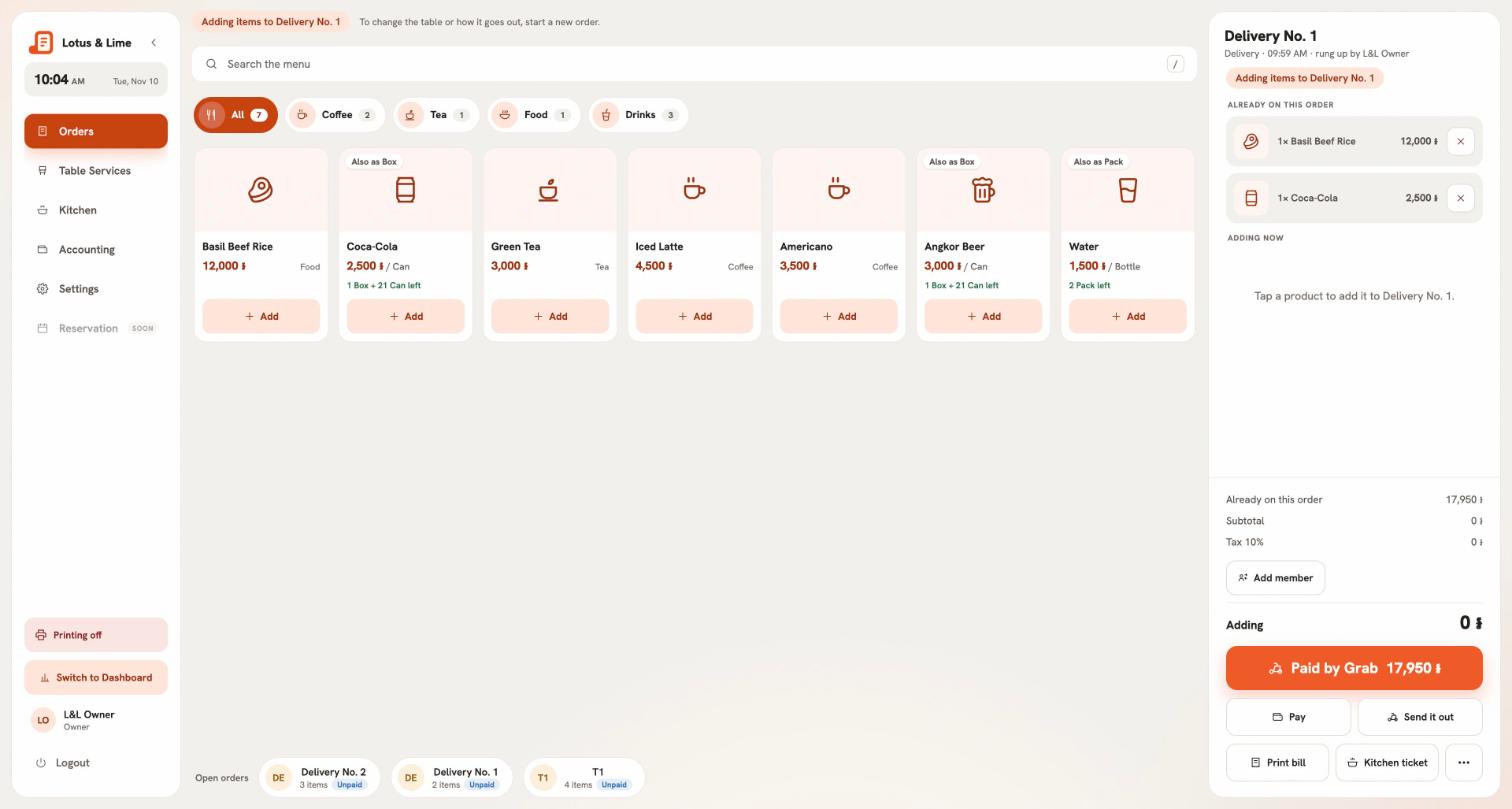
When you ring a delivery for Grab, foodpanda, Nham24 or any other app, the big button under the bill is Paid by Grab (or the app’s name). Tap it and the order is paid. No money crosses the counter, the drawer is not touched, and the shift counts the order under the app, so you can check it against the app’s statement.
This is on for every delivery app from the start, because it is how almost every shop works with them. Pay stays just beside it, for the rare order a customer pays at the counter.
How to change it for one app
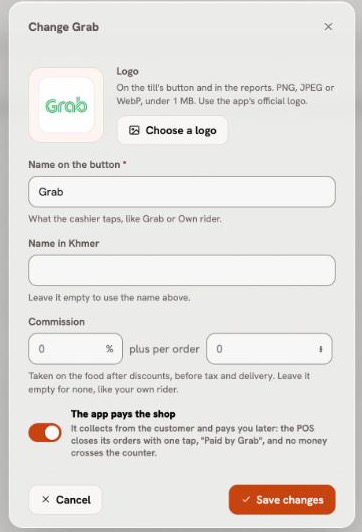
If one of your apps works differently, say the customer pays your shop by KHQR, turn it off for that app only:
- Open the console, then Stores, your store, and Delivery channels.
- Press Change on the app.
- Switch off The app pays the shop, and press Save changes.
From the next order, that app’s deliveries are paid at the counter like any other order. Your own rider never has this switch: your rider brings cash.
Cash on delivery for your own rider
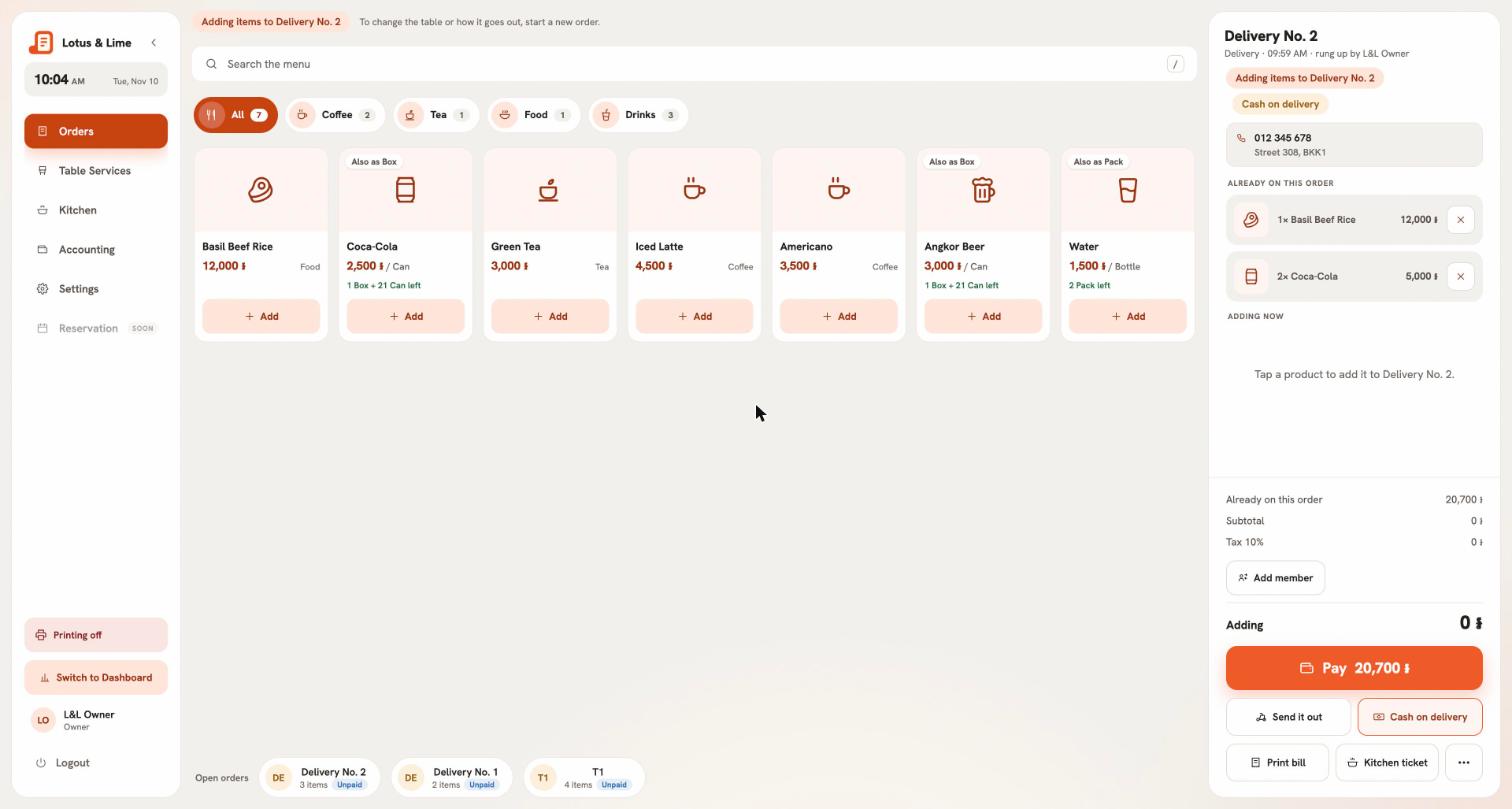
When your own rider takes the order, press Cash on delivery before it goes out. The order shows Cash on delivery so the rider knows to collect. When the rider marks it delivered in the Bill&Go Rider app, the order is paid, and the cash is the rider’s to hand in at the POS. Changed your mind before it left? Press it again.
Pay later, for regulars and office accounts
Some customers pay later: the regular who settles every Friday, the office that orders lunch every day. With Pay later, staff close their order owed by a name. The bill prints for them to keep, the table is free for the next guest, and Bill&Go remembers who owes what.
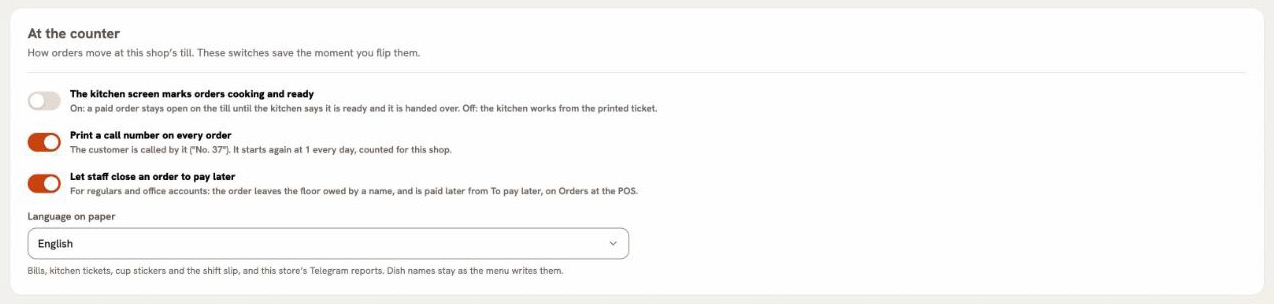
This one is off until the owner turns it on, because it is a decision about trust. It is set for each store:
- Open the console, then Stores, your store, and At the counter.
- Switch on Let staff close an order to pay later. It saves at once.
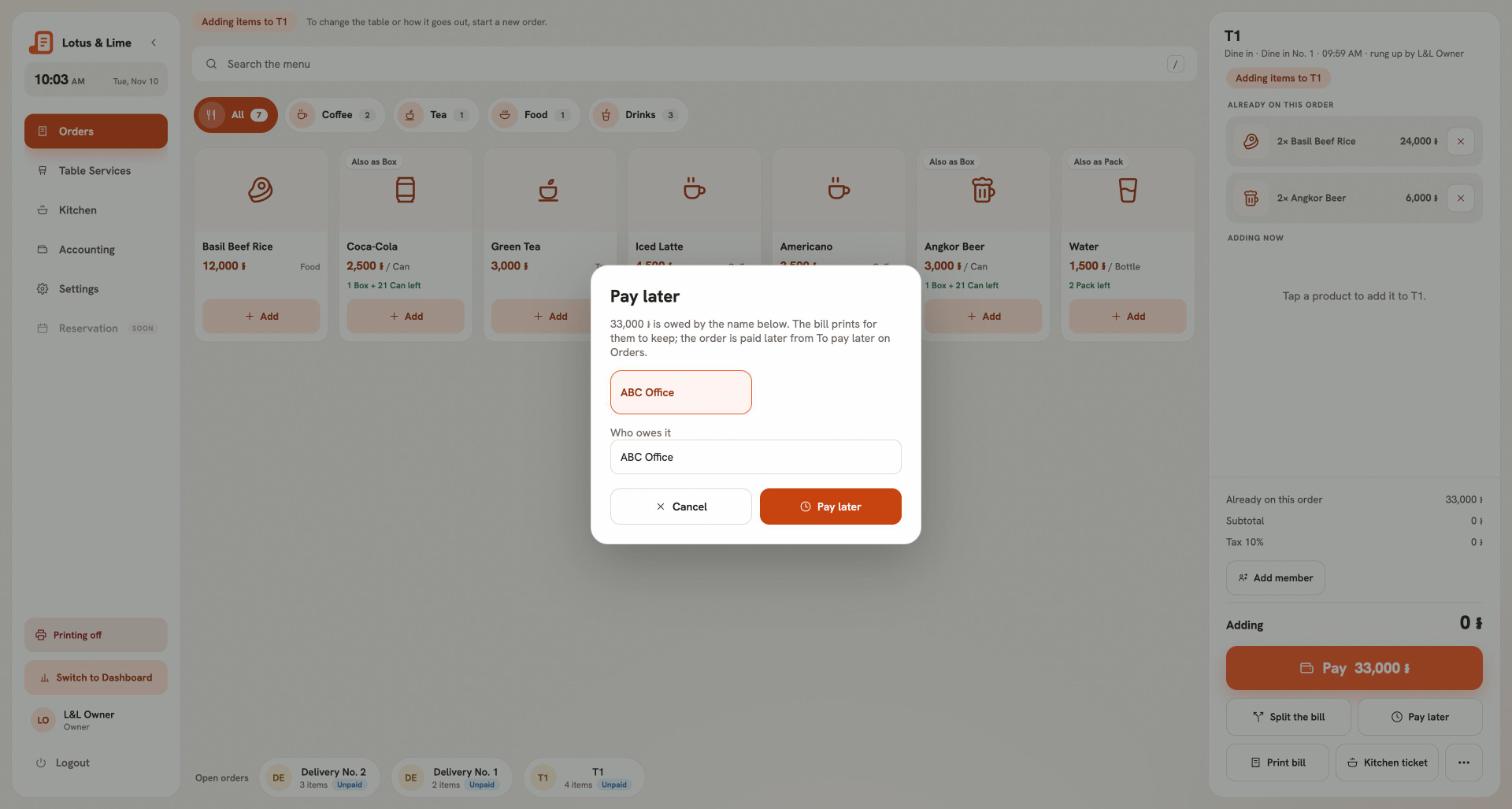
At the POS, open the order and press Pay later. The names the POS already knows are one tap: the member on the order, the name it was rung for, and the people who already owe at this store. Or type a new one.
Getting paid
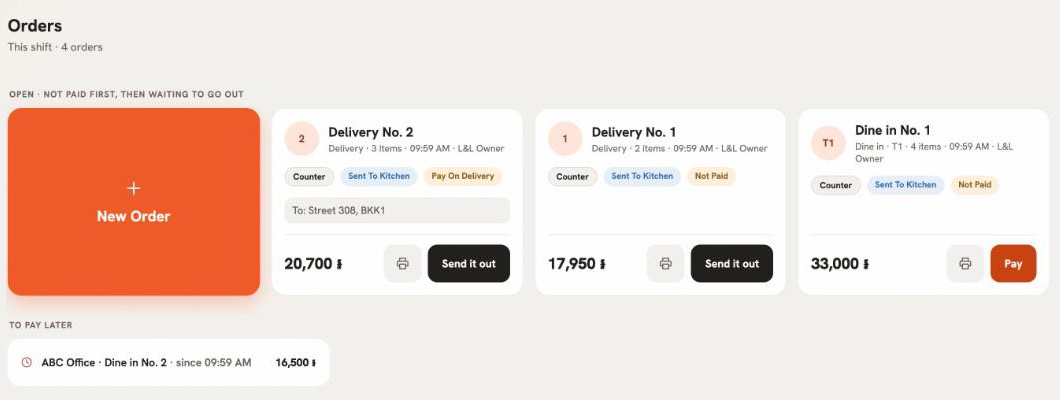
Every order still owed waits under To pay later on the Orders page, with the name, the order and since when. When the customer pays, tap it and take the money the usual way: cash with change, KHQR or card. It counts in the shift that takes the money, not the one that closed the order.
- The shift summary, its printed slip and the Telegram report list what is owed, name by name, apart from the unpaid orders still on the floor.
- In the console, the order says To pay later with the name until it is paid.
- The bill printed when it was closed says who it is owed by.
Three rows, however many ways
More ways to pay could mean a taller and taller stack of buttons. They don’t: under the bill there is always one big button, the usual way this order is paid, then two other ways side by side, then Print. Anything more, like Pay later on a busy delivery, is under More. A table that wants to pay its own way still has Split the bill.
Tip. Start with the delivery apps: they are already on, and the shift will add up the day you update. Turn on Pay later only in the stores that really have regulars on account, and look at To pay later at the end of each week. The steps are in Pay later.
Questions
Can Bill&Go mark a Grab or foodpanda order as paid without taking money?
Yes. A delivery rung for an app that pays the shop shows Paid by Grab (or the app’s name) as its main button. One tap closes it, and the shift counts it under that app, not in the cash drawer.
Can customers pay later, on account?
Yes, if the owner turns on Let staff close an order to pay later for the store. Staff close the order owed by a name, and it waits under To pay later on Orders until it is paid.
How does cash on delivery work with my own rider?
Press Cash on delivery before the order goes out. The order is paid when the rider marks it delivered, and the cash is recorded as the rider’s until it is handed in at the POS.
Still stuck?
Tell the Bill&Go team in Phnom Penh what you were trying to do, and we'll walk you through it.