




Take pick-up orders in Telegram
Make a Telegram bot for your shop, with a button that opens your pick-up menu inside Telegram.
- Who
- Owner and managers
- Where
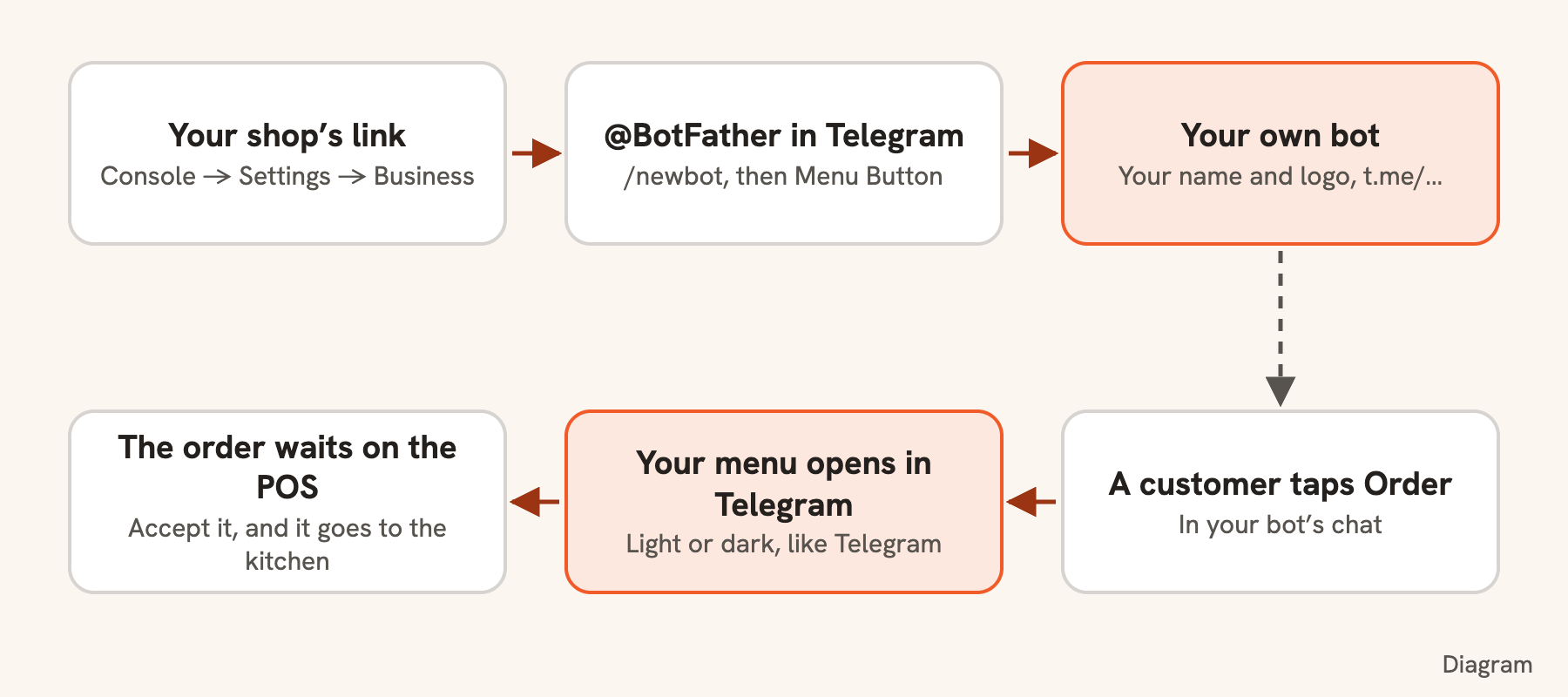
- Telegram → @BotFather; your link is in Console → Settings → Business
Your customers already chat in Telegram. With a bot of your own, they open your menu there, order ahead and follow the order without leaving the chat. The bot carries your shop’s name and picture, and it is yours: Bill&Go never needs its token.
First switch on pick-up ordering for at least one store, and copy your link: Your shop’s link in Settings → Business lists every branch, and a store’s own link on its Pick-up ordering tab opens that store.
Make the bot
- In Telegram, search for @BotFather (the one with the blue tick) and press Start.
- Send
/newbot. Give it your shop’s name, like “Lotus & Lime”. - Give it a username ending in “bot”, like
lotusandlime_bot. That is its address,t.me/lotusandlime_bot. - BotFather answers with a token. Keep it to yourself: Bill&Go does not need it, and nobody should ask for it.
Give it a button that opens your menu
- Send
/mybots, choose your bot, then Bot Settings → Menu Button. - Send your link (your shop’s link, or one store’s).
- Send the button’s name, like “Order”.
The button sits beside the message box in the bot’s chat. Your menu opens inside Telegram, in Telegram’s light or dark look, Telegram’s back arrow steps back through it, and the customer’s Telegram name is filled in for them to change.
Tip. Rather have it as a Mini App, with an Open button on the bot’s profile? In Bot Settings, choose Configure Mini App, switch it on and send the same link.
Name, picture and description
/setuserpic: your logo, square./setdescription: what customers see before they press Start, like “Order ahead and collect at the counter.”/setabouttext: one line on the bot’s profile, like your opening hours.
Share it
Share t.me/<your bot> on your Facebook page and in your Telegram channel, and pin the message there. Orders from the bot are ordinary pick-up orders: they wait on the POS for someone to accept them.
Good to know. Pick-up ordering needs Starter or above. The bot is free, from Telegram.
Still stuck?
Tell the Bill&Go team in Phnom Penh what you were trying to do, and we'll walk you through it.