




Three new looks for your ordering page
Your pick-up page and Telegram Mini App can now take three more designed looks: Liquid, Material and Editorial. Each takes your brand color, works in light and dark, and is chosen in the store’s settings. What each one looks like, and which kind of shop it suits.
Your pick-up page and Telegram Mini App now have nine designed looks to choose from. This post covers the three new ones. Like the others, each takes your brand color as its accent and works in light and dark.
Three new looks
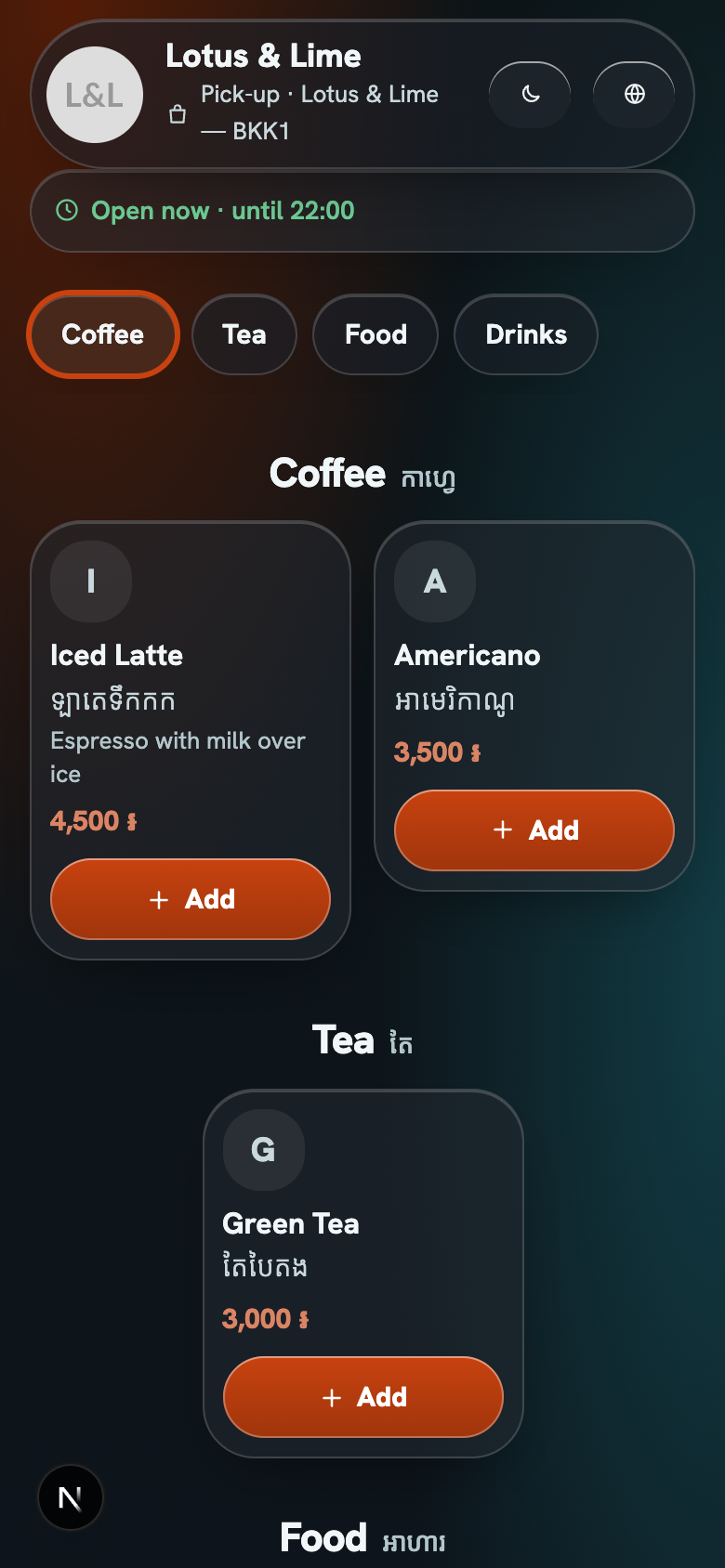
- Liquid: clear glass surfaces with a light edge, and floating capsule bars that shrink as the menu scrolls. In Chrome the glass bends light at its edges. In Safari and in Telegram on iPhone it shows as clear glass with the edge highlight, so the look still works there. Motion is off when reduced motion is on.
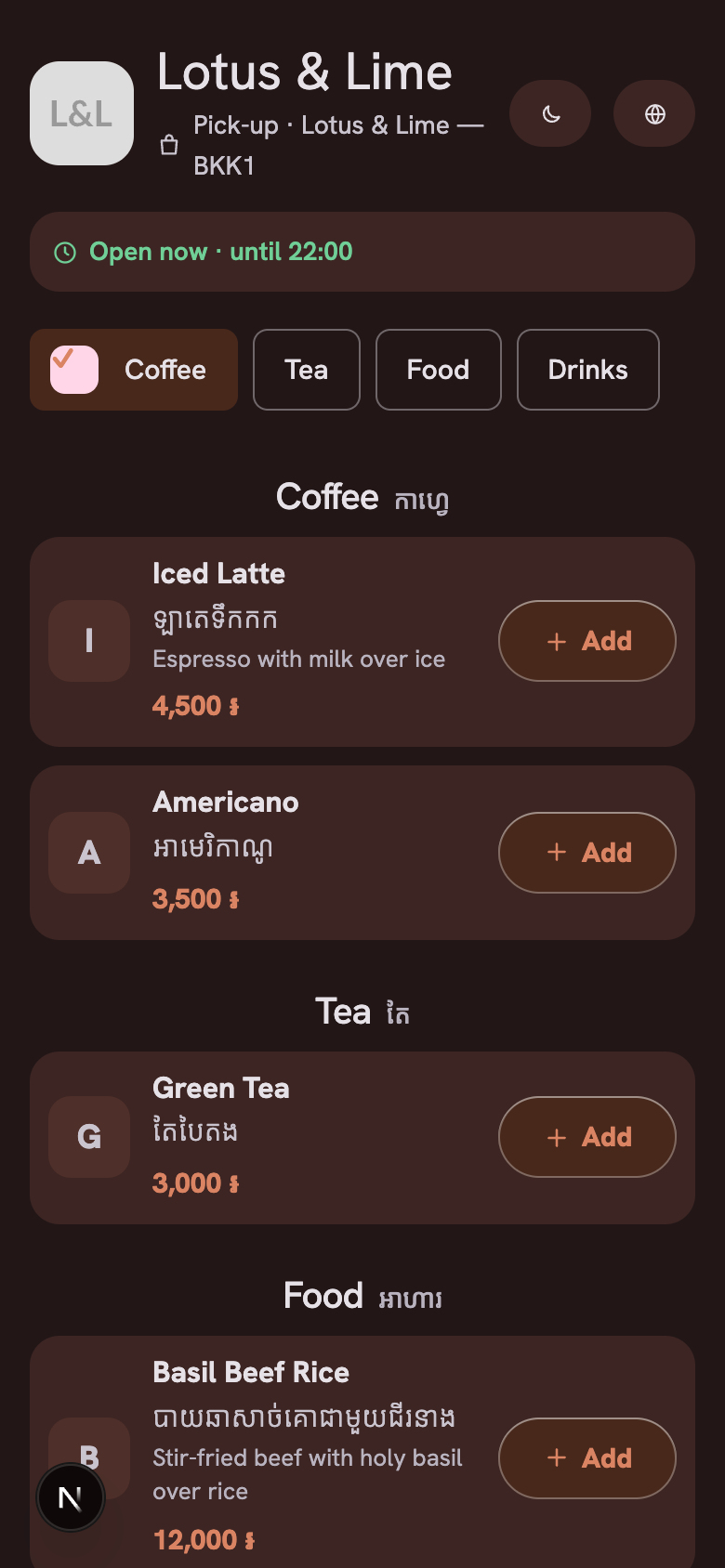
- Material: tonal surfaces made from your brand color, filled cards with rounded corners, a large top bar that collapses as you scroll, filter chips that show a check when selected, and an extended button for the order at the bottom right. Material is the name of the look. It is not a Google product.
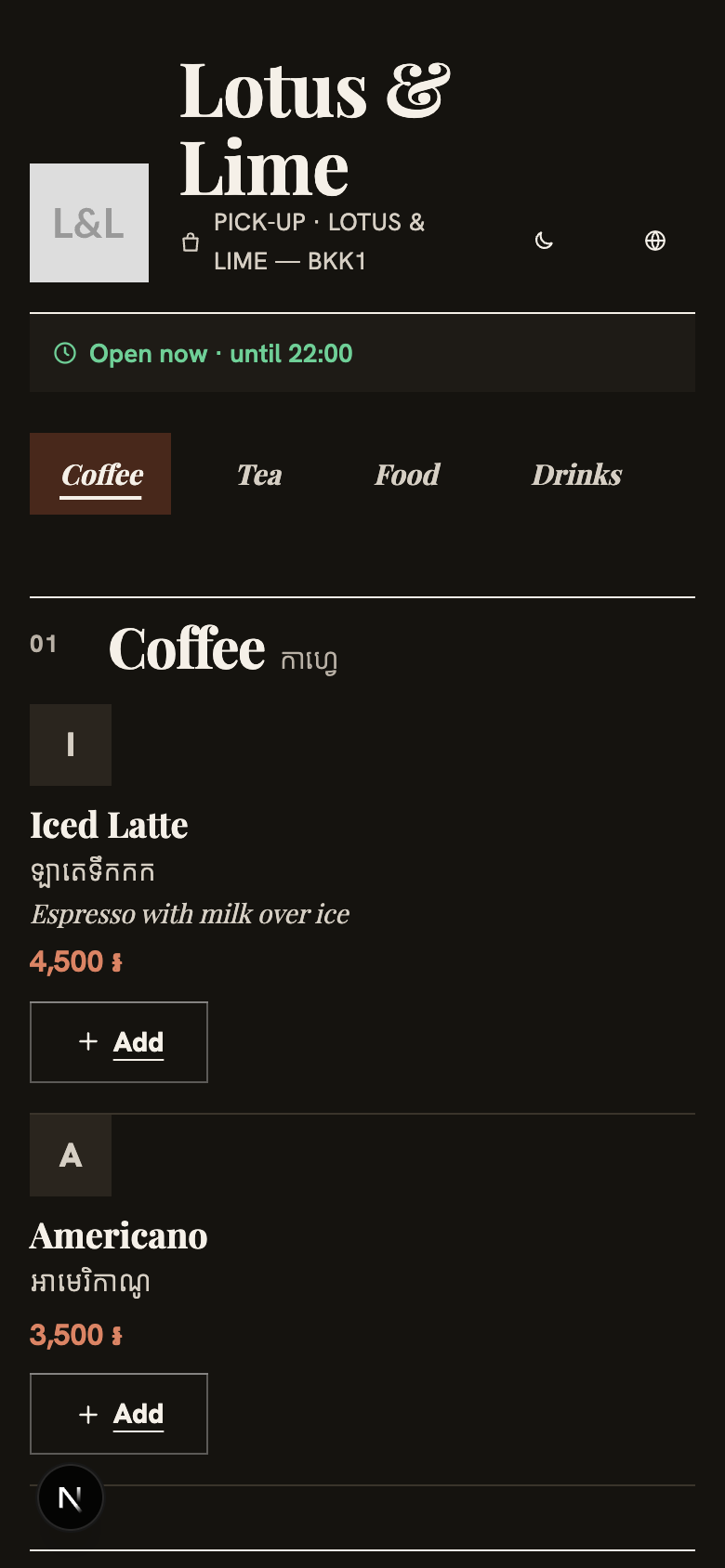
- Editorial: a food-magazine look with a serif display face for the shop name, section titles and dish names, numbered sections such as “01 Coffee”, a wide feature dish in each section, thin rules, text-link Add buttons, and a slim order bar.
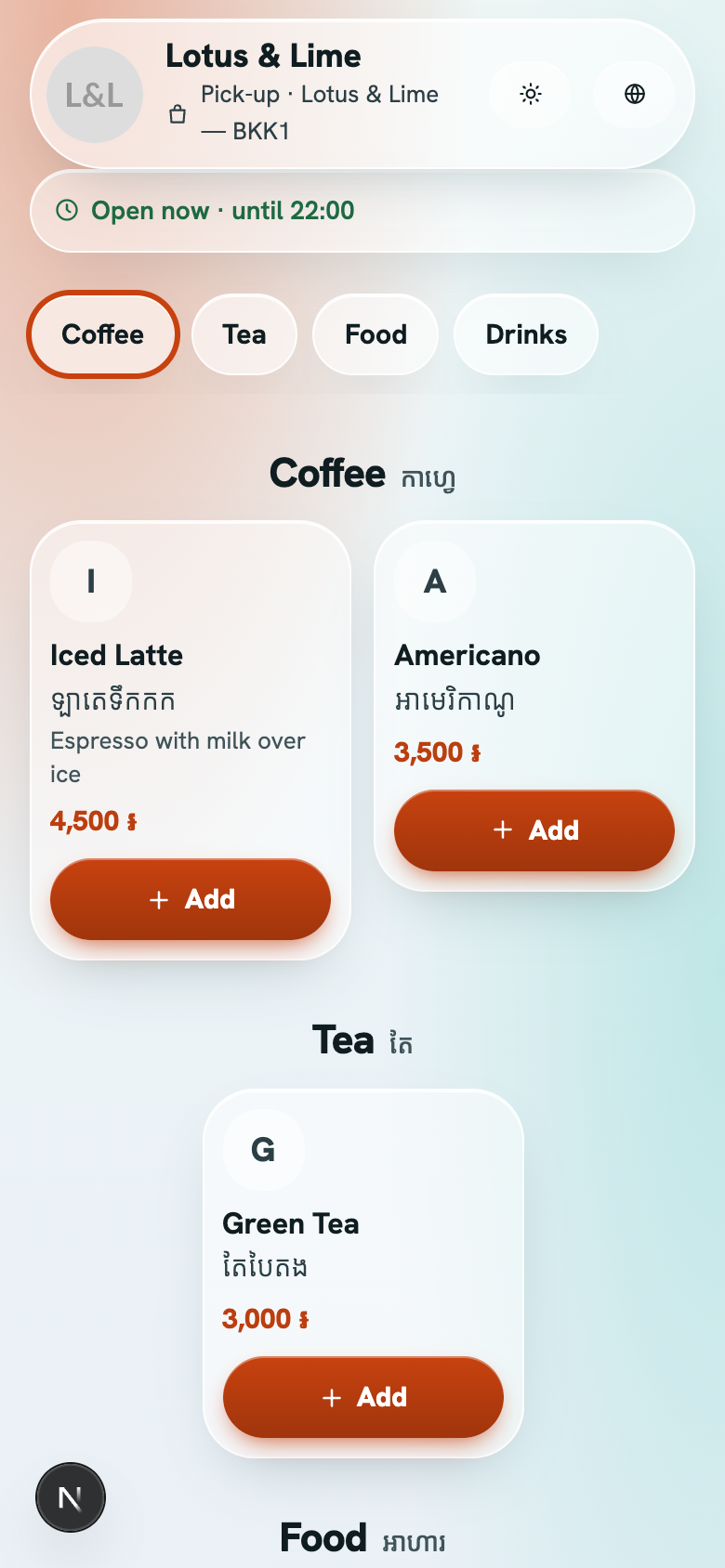
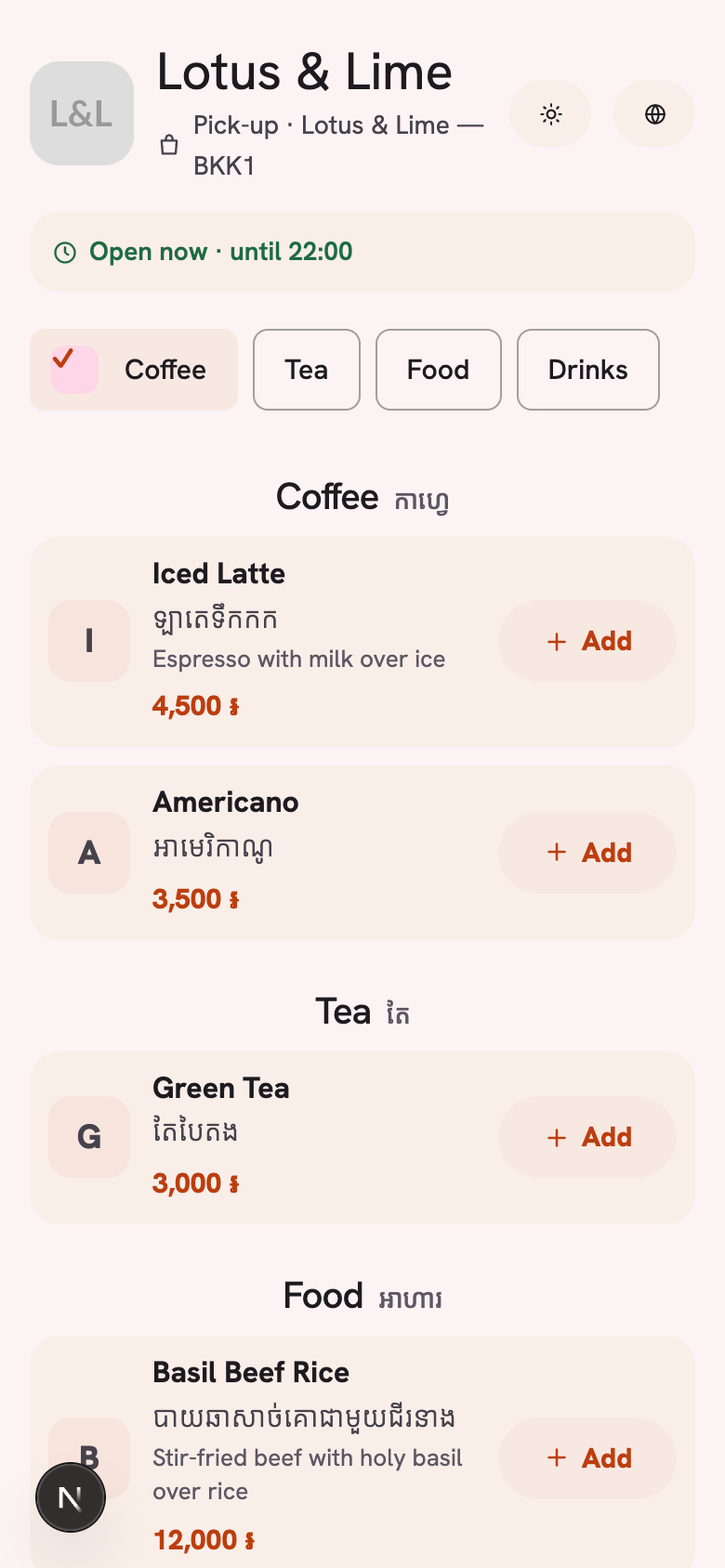
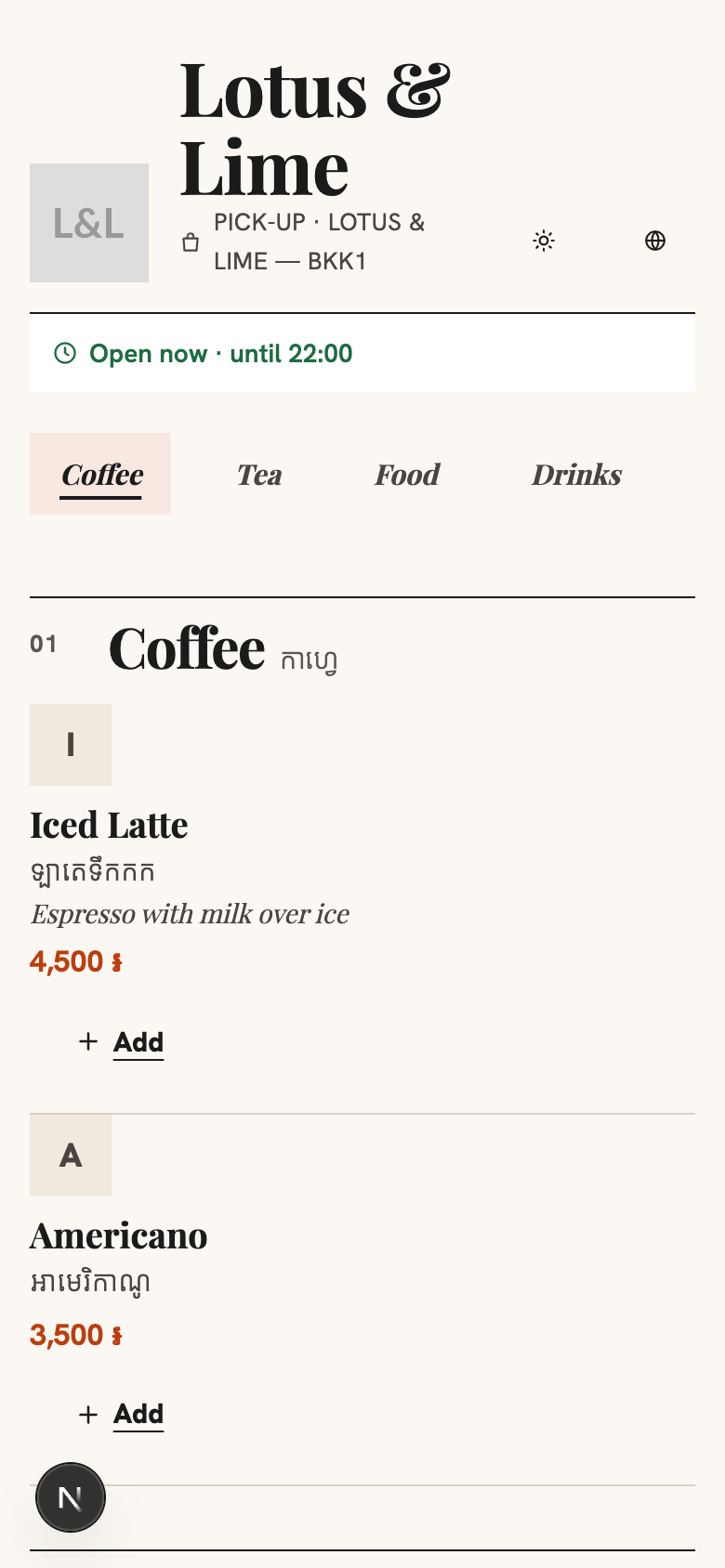
Here are the three in dark. The customer chooses Auto, Light or Dark on the page.
Which shop each one suits
- Liquid suits a café or a bar with photographed drinks and dishes, and a shop that wants a light, airy page.
- Material suits a shop with several categories to filter, and a counter that takes many small orders, since the order button sits at the bottom right.
- Editorial suits a restaurant with a printed-menu feel, clear sections such as starters, mains and desserts, and a dish worth a bigger picture in each section.
The look changes how the page is laid out, not what is on it. The menu and the prices are the same in all nine looks.
Starter and up
The three new looks come with Starter and up, like the other designed looks. A shop on Free keeps Follow Telegram, the default look.
Good to know. Page look comes with Starter and up, from $15.99 a month. See every plan on the pricing page.
Choose a look in the console
In the console, open the store’s settings and find Page look. The console shows each look as a preview before you choose it. The look belongs to the store, so each branch can have its own. The Telegram Mini App has the same look as your link.
Questions
Which looks come with the Free plan?
Free shops keep Follow Telegram, the default look. Liquid, Material and Editorial come with Starter and up, like the other designed looks.
Does Liquid work in Telegram on iPhone?
Yes. In Safari and in Telegram on iPhone, Liquid shows as clear glass with the edge highlight, so the look still works there. The light bends at the edges in Chrome only.
Do the new looks work in dark mode?
Yes. Each look works in light and dark, and the customer chooses Auto, Light or Dark on the page.
Still stuck?
Tell the Bill&Go team in Phnom Penh what you were trying to do, and we'll walk you through it.