




Six designed looks for your ordering page
Your pick-up page and Telegram Mini App can take one of six designed looks, in your brand color and in light or dark: Glass, Soft, Aurora, Clean, Bold and Pixel. How to pick one in the console, and what each one looks like.
Your pick-up page is the page customers open from your link, and the same menu opens in your Telegram bot. It used to have one look. Now you can choose one of six designed looks for it, and each takes your brand color as its accent.
Pick the look in the console
In the console, open the store’s settings and find Page look. Each look has a preview card, so you see it before you choose. The look belongs to the store, so each branch can have its own. A shop on Free keeps Follow Telegram, today’s look. The six designed looks come with Starter and up.
Six looks
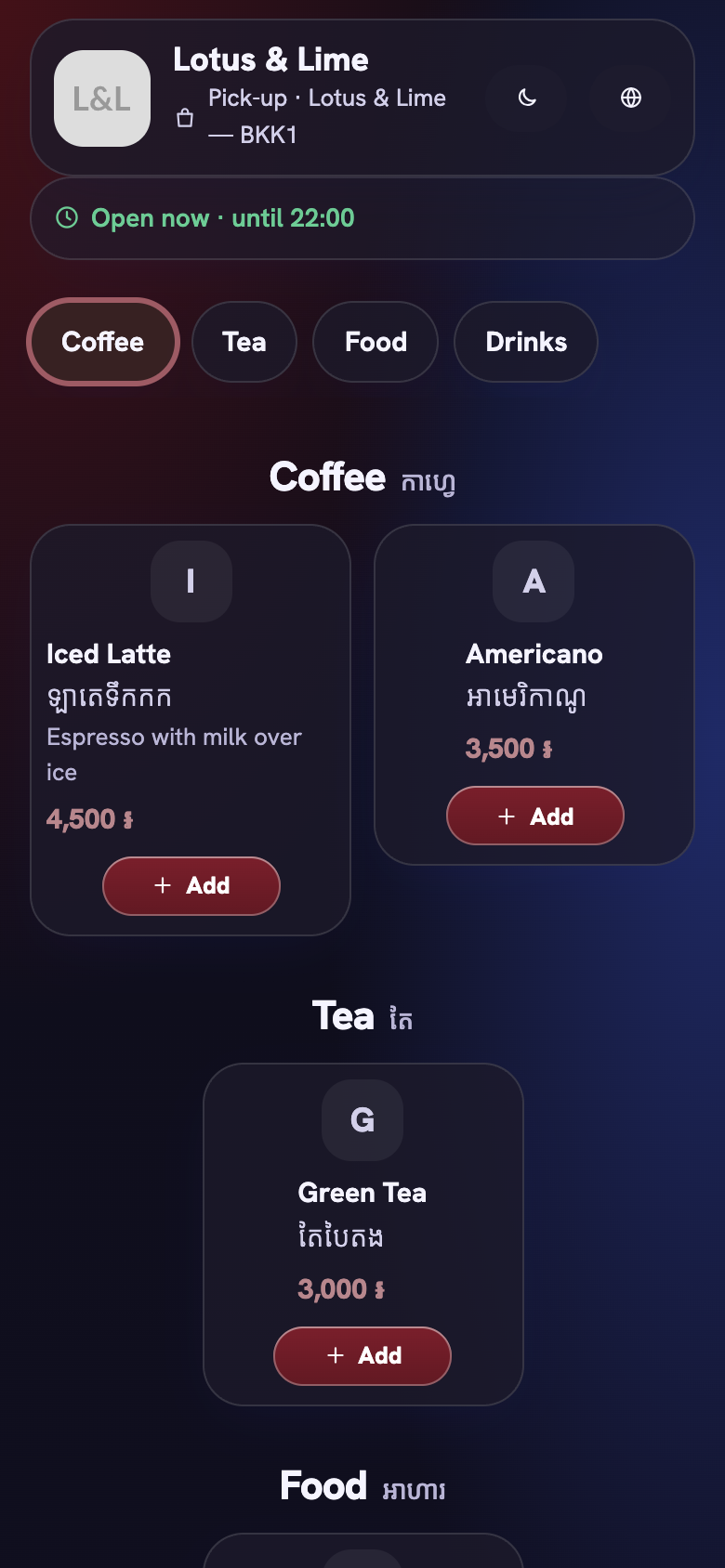
- Glass: frosted, translucent cards over your brand color.
- Soft: rounded pastel tiles, big centered titles and glossy pill-shaped Add buttons.
- Aurora: a large shop name over a moving gradient, big category tabs, and wide dish cards with the price as a tag.
- Clean: a printed-menu list with dotted leaders, small caps and hairlines, and no cards.
- Bold: a magazine layout with one big photo per row, huge prices, thick outlines and solid offset shadows.
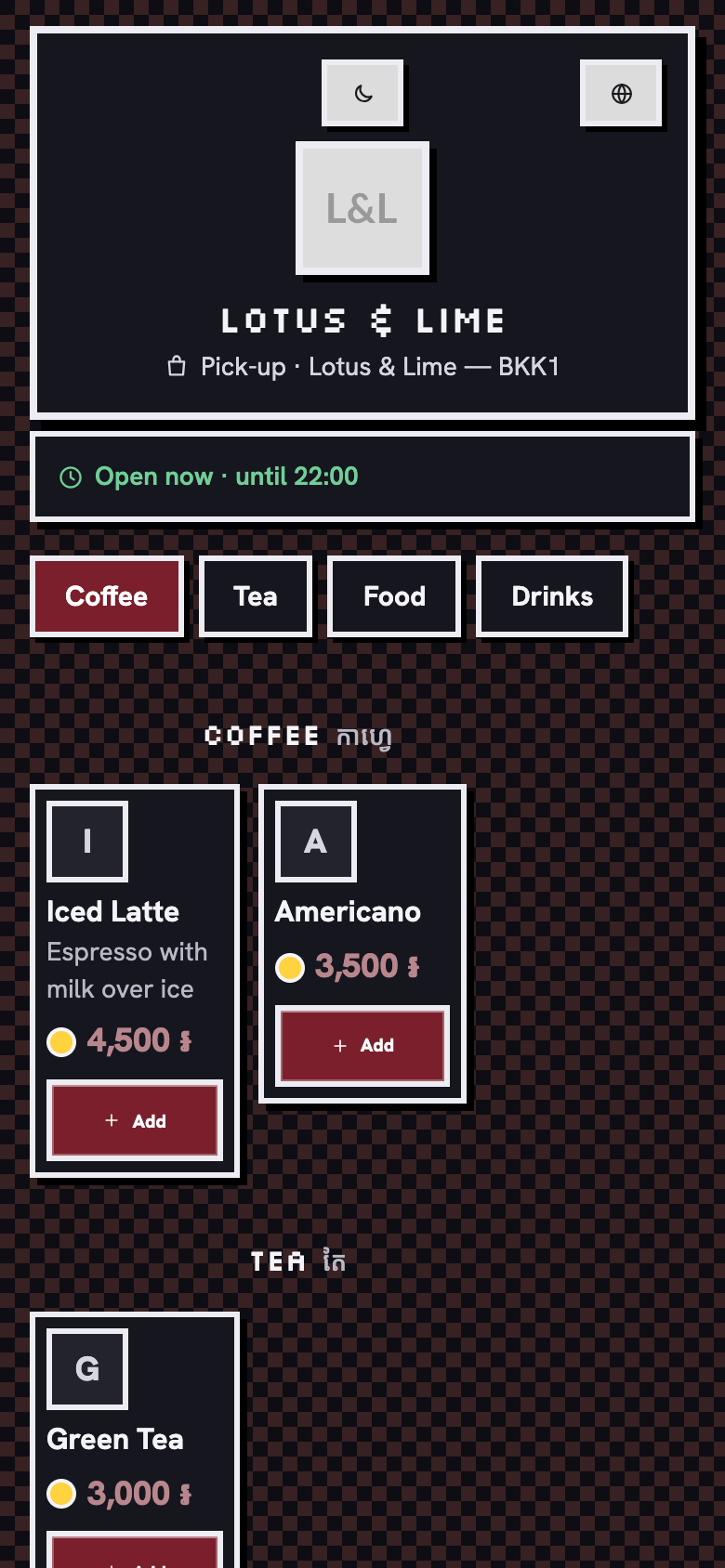
- Pixel: a retro game look, with an 8-bit framed header, dishes in a three-column inventory with coin prices, stepped buttons, and a pixel font for headings and prices.
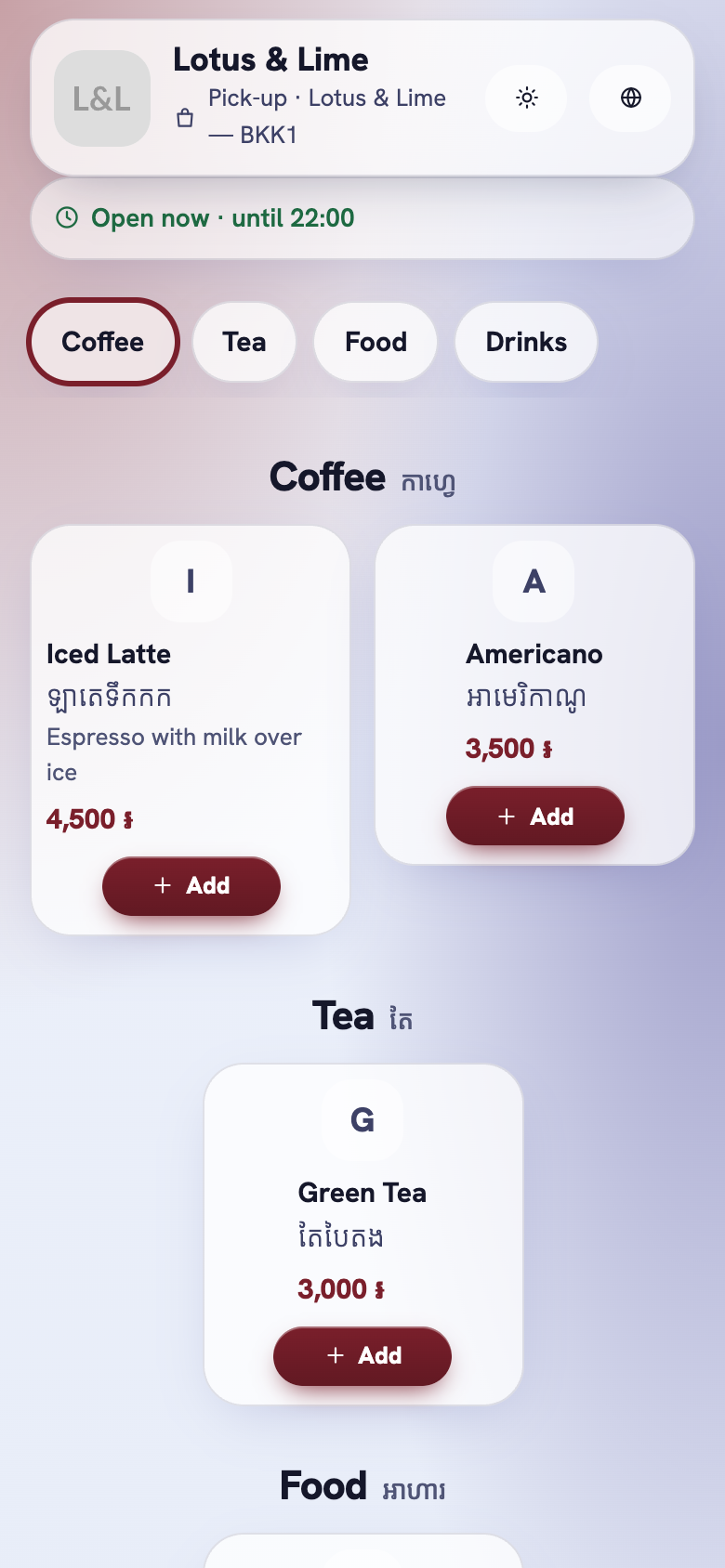
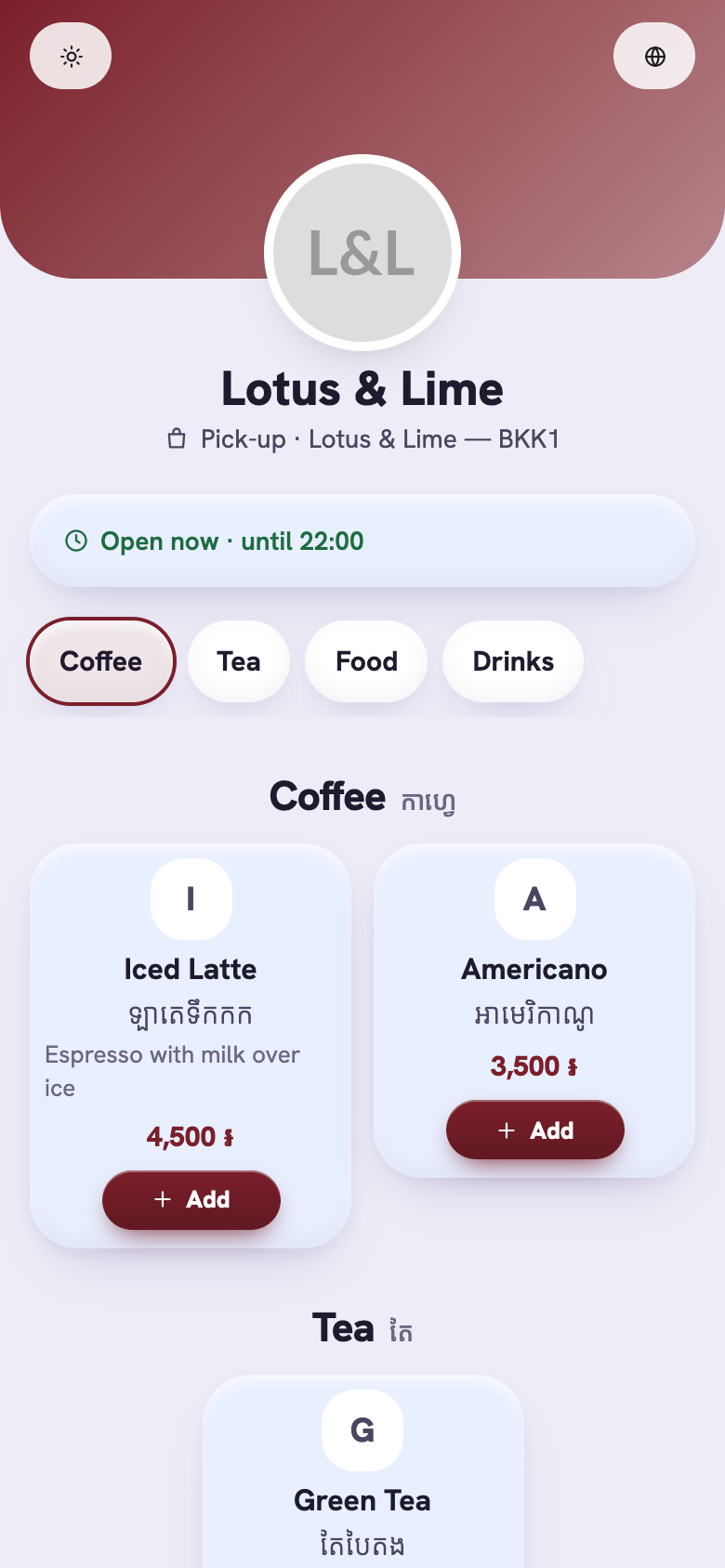
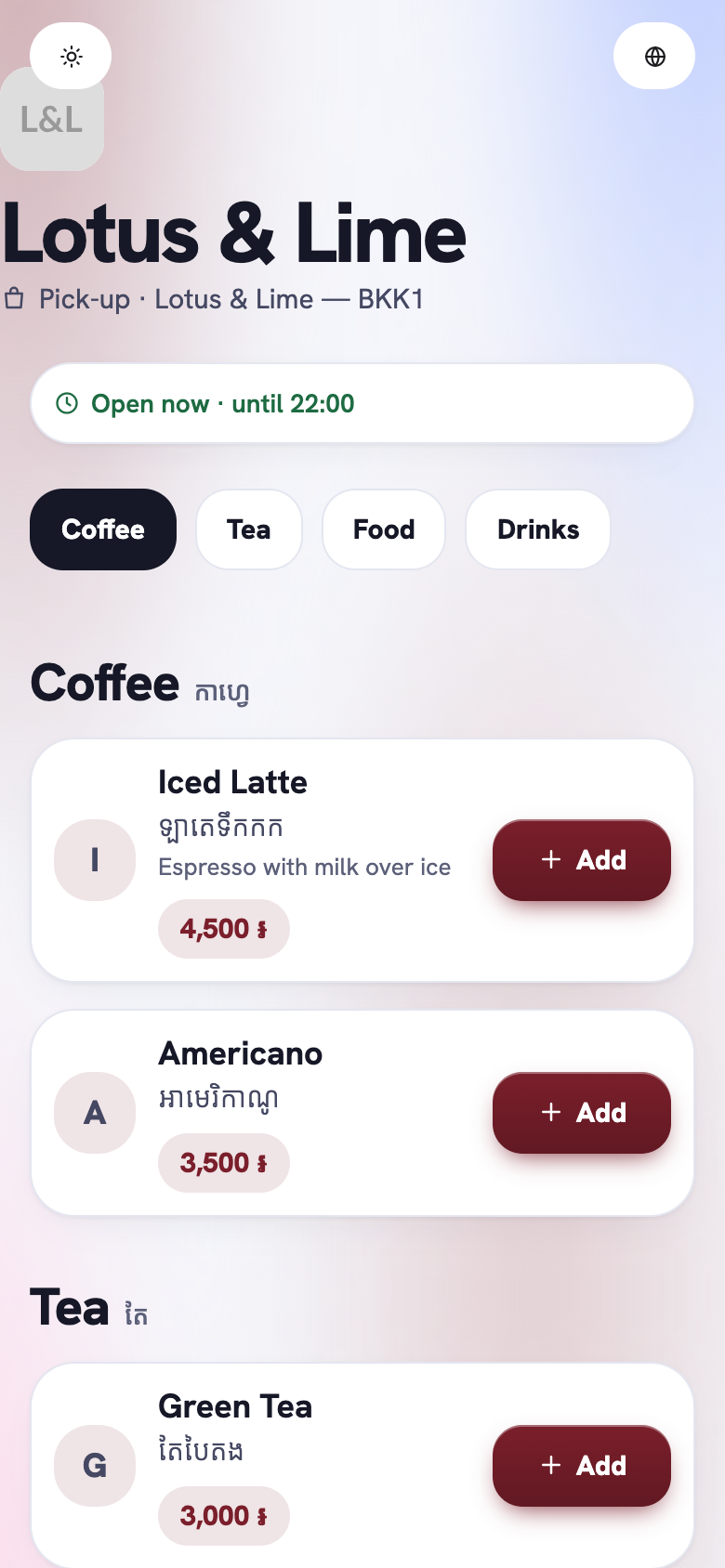
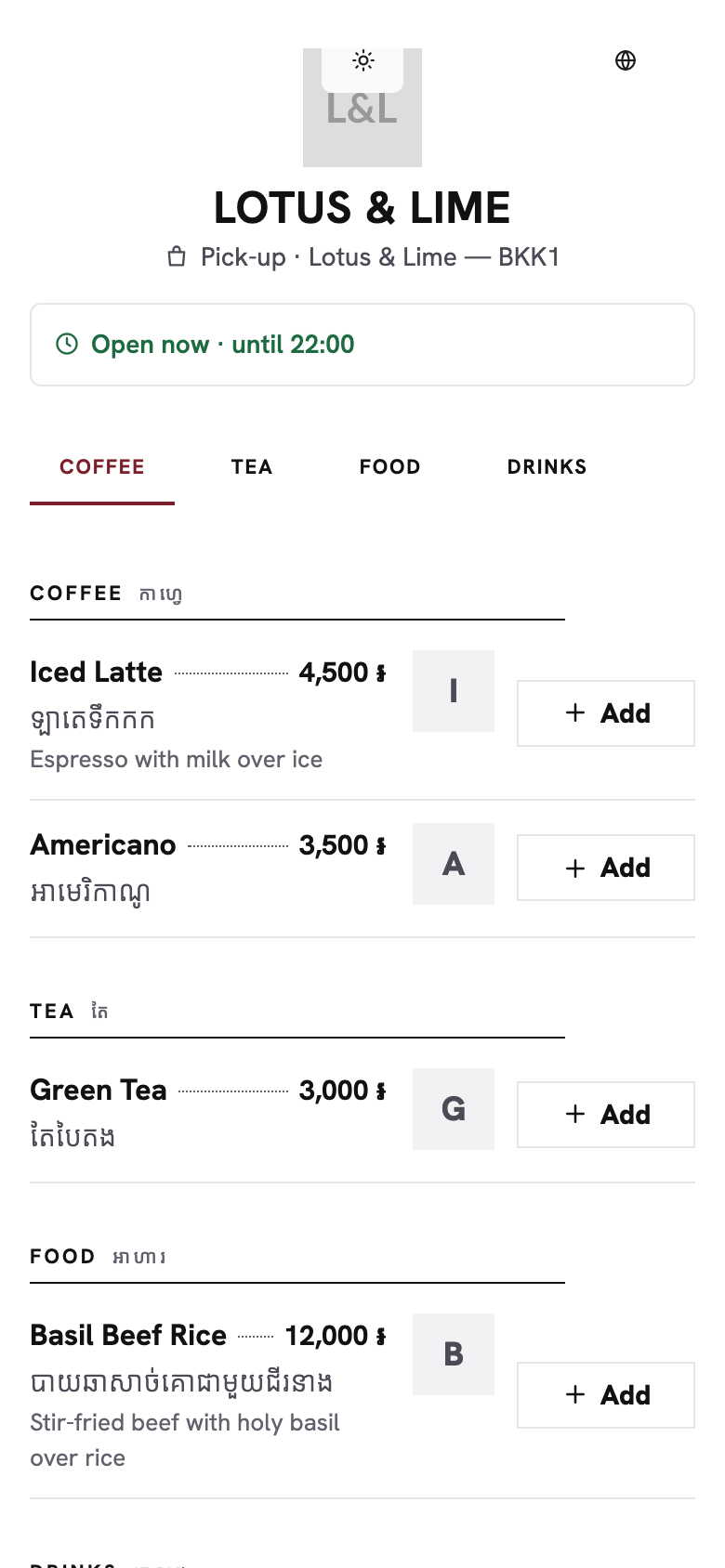
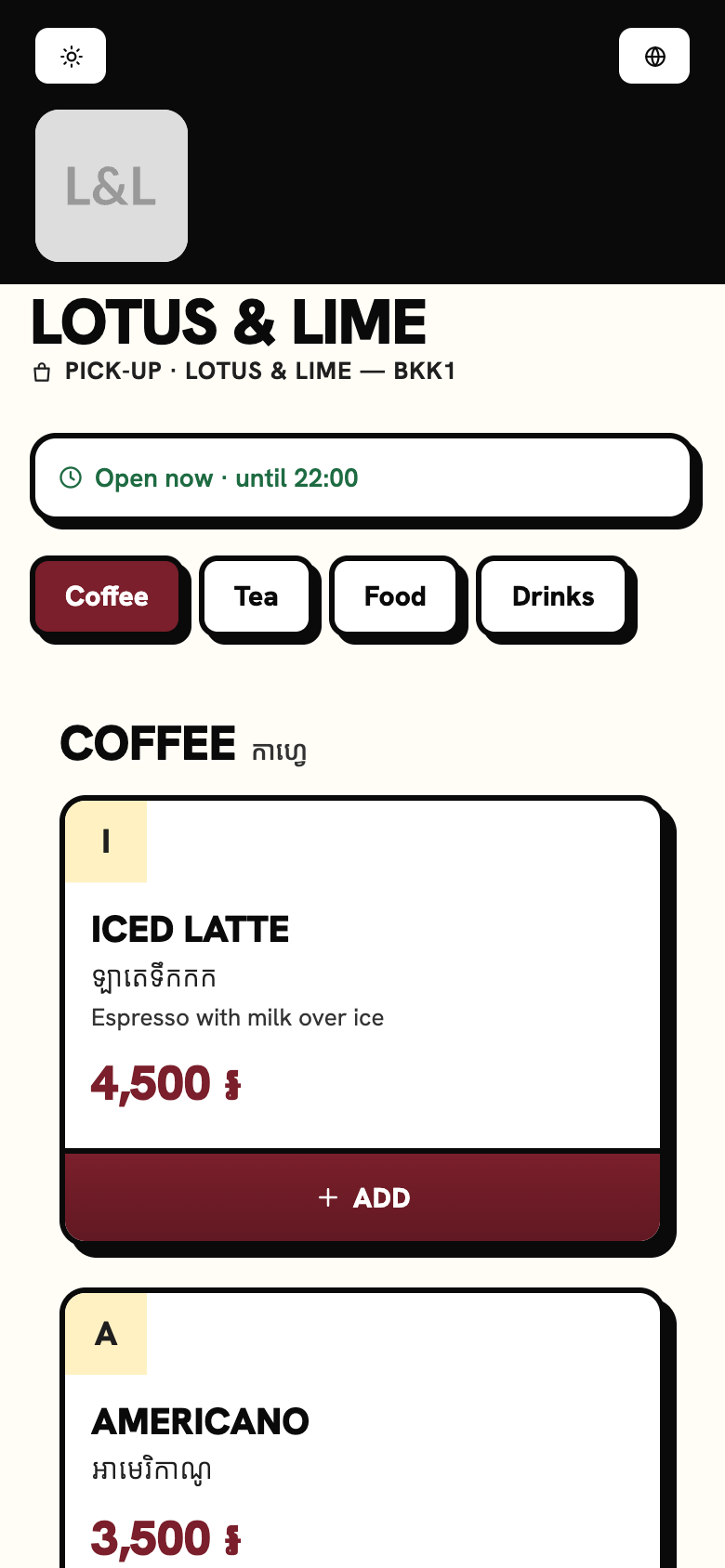
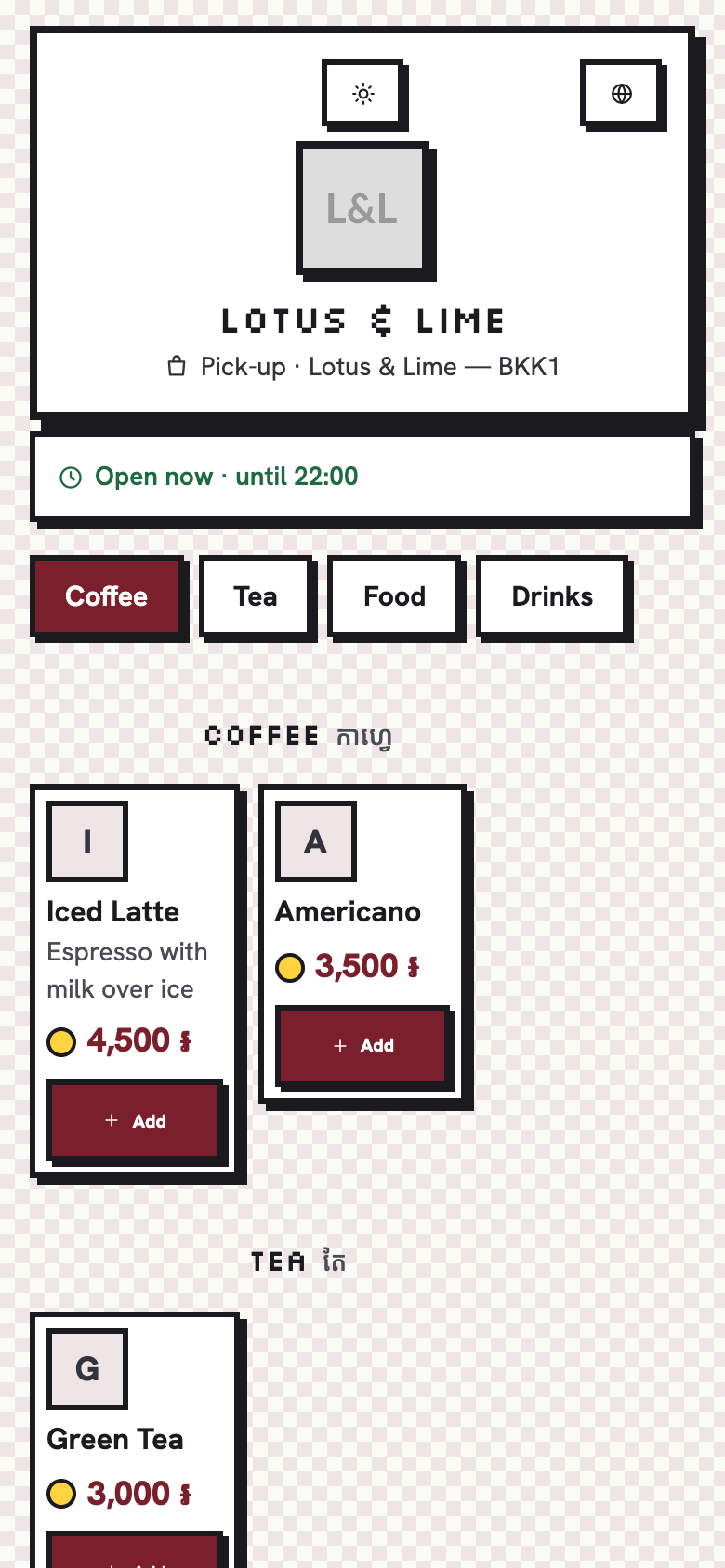
Light and dark
Each look works in light and dark. The customer chooses Auto, Light or Dark on the page. Here are Glass and Pixel in dark.
In your Telegram bot
The Telegram Mini App has the same look as your link. The look you pick in the store’s settings is the one customers see in your bot, too.
Good to know. Page look comes with Starter and up, from $15.99 a month. See every plan on the pricing page.
Questions
Which looks come with the Free plan?
Free shops keep Follow Telegram, the default look. The six designed looks, Glass, Soft, Aurora, Clean, Bold and Pixel, come with Starter and up.
Do the looks work in dark mode?
Yes. Each look works in light and dark, and the customer chooses Auto, Light or Dark on the page.
Is the look the same in Telegram?
Yes. The Telegram Mini App has the same look as the pick-up link of the store.
Still stuck?
Tell the Bill&Go team in Phnom Penh what you were trying to do, and we'll walk you through it.