




Every look for your ordering page, and three new ones: Timeline, Roadmap and Disc
Your pick-up page and Telegram Mini App now have twenty designed looks. Three are new: Timeline, Roadmap and Disc. Here is every look with the shop it suits, how to give the Mini App and the QR code a look each, and how to choose one in the console on the web or in the Console app.
Your pick-up page and Telegram Mini App have twenty designed looks to choose from, besides Follow Telegram, the default. Each takes your brand color as its accent and works in light and dark, in the list and in the grid. This guide shows the three newest, then every look in one place.
Three new looks
- Timeline: the menu as steps down one line in your brand color. Each dish is a numbered step (01, 02…) and each section opens with a milestone on the line. As a dish scrolls in, its number pops onto the line.
- Roadmap: a road winds down the menu, one dish a row. It leaves from behind each section’s sign, runs across above each dish and down the right, then the left, with a dotted center line. In the grid, two dishes sit in each row on the same road. Each dish has a numbered flag.
- Disc: every dish is a vinyl record half out of its sleeve, with the dish photo as its label. The records turn as the customer scrolls, and in the grid each record rises out of its sleeve. It is dark first.
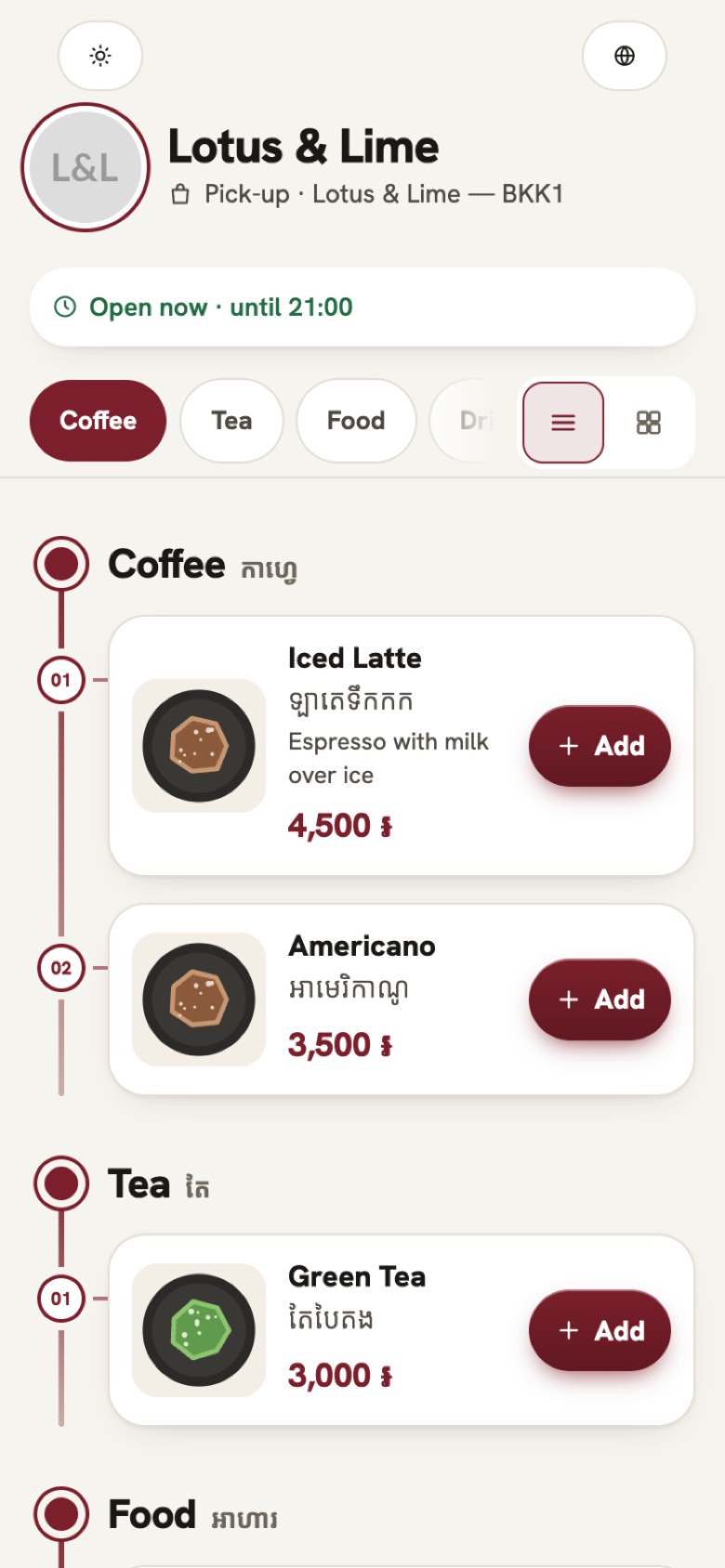
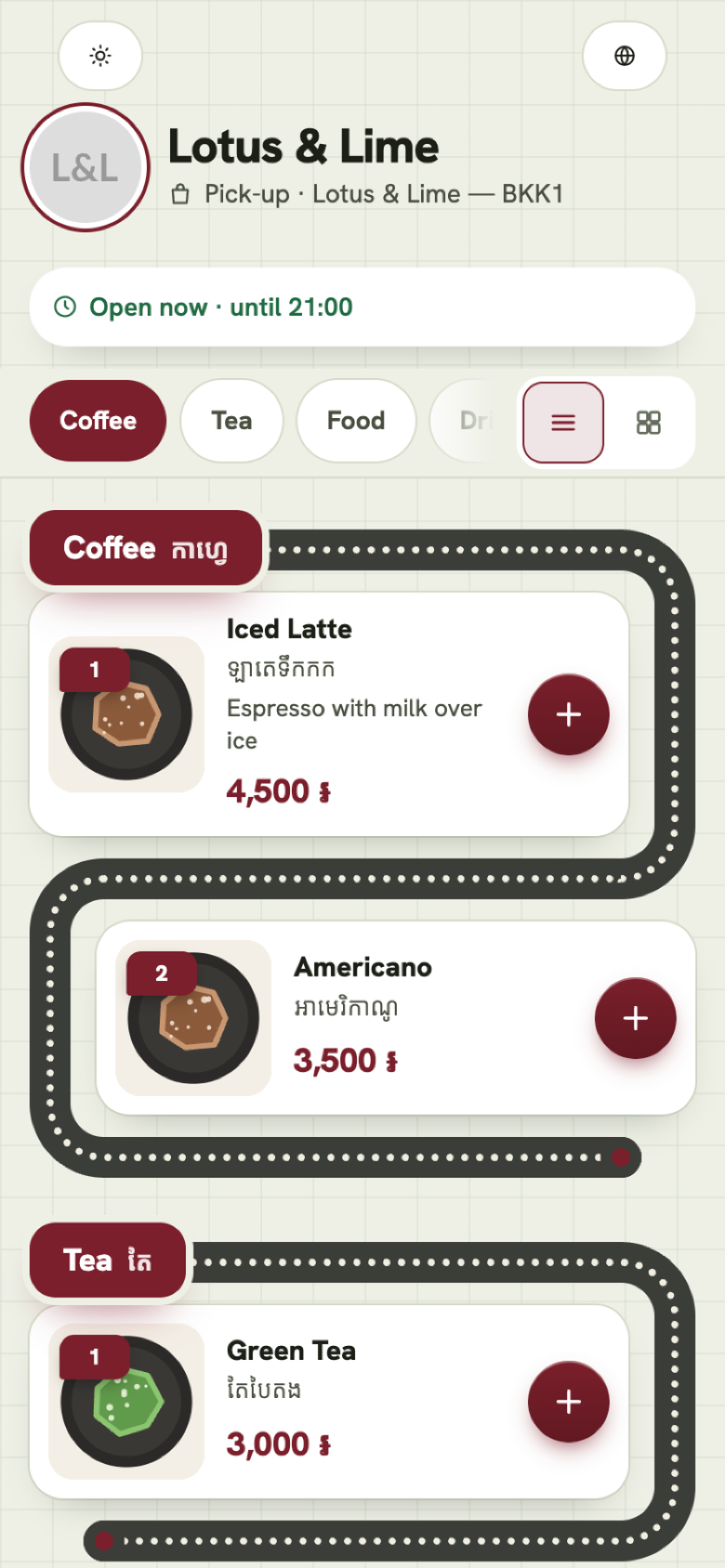
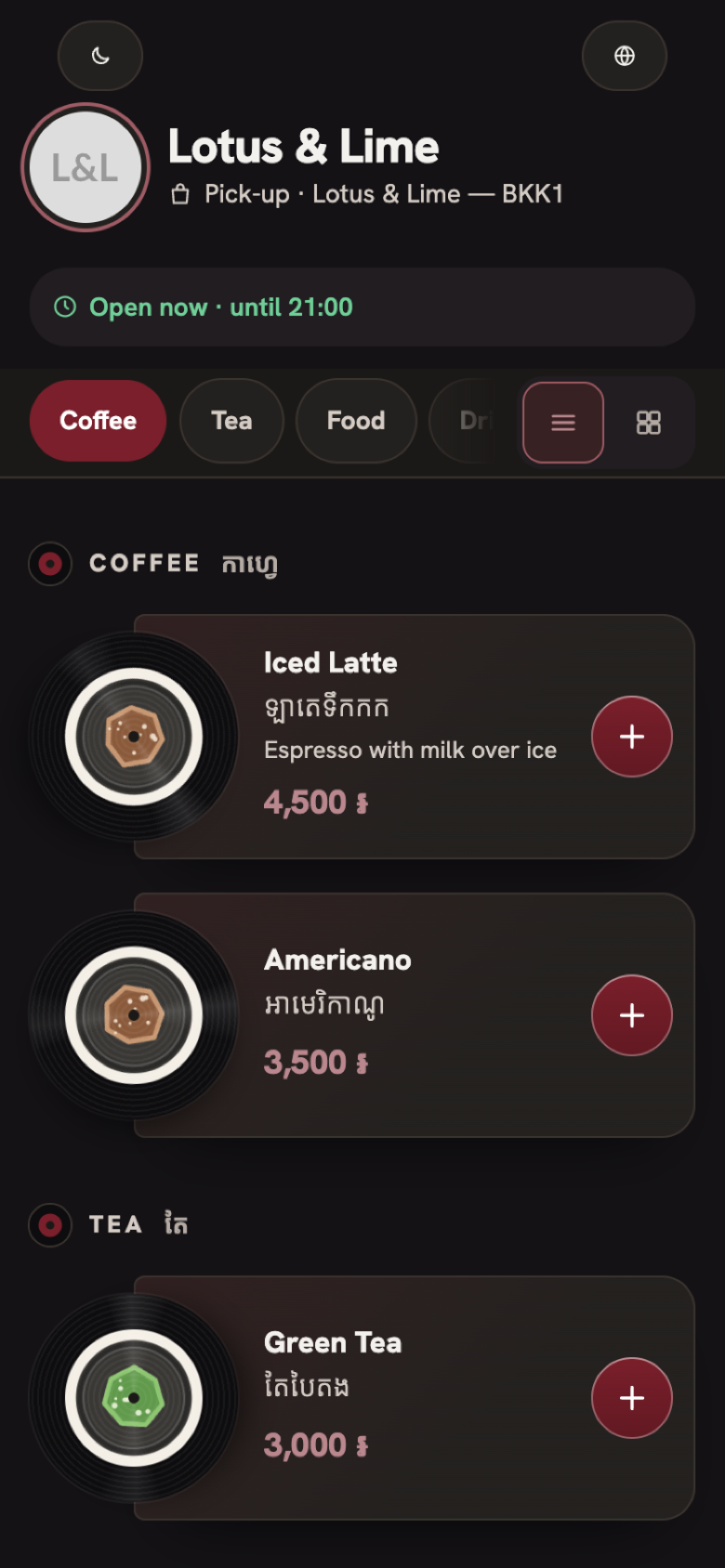
And in their other mode. The customer chooses Auto, Light or Dark on the page.
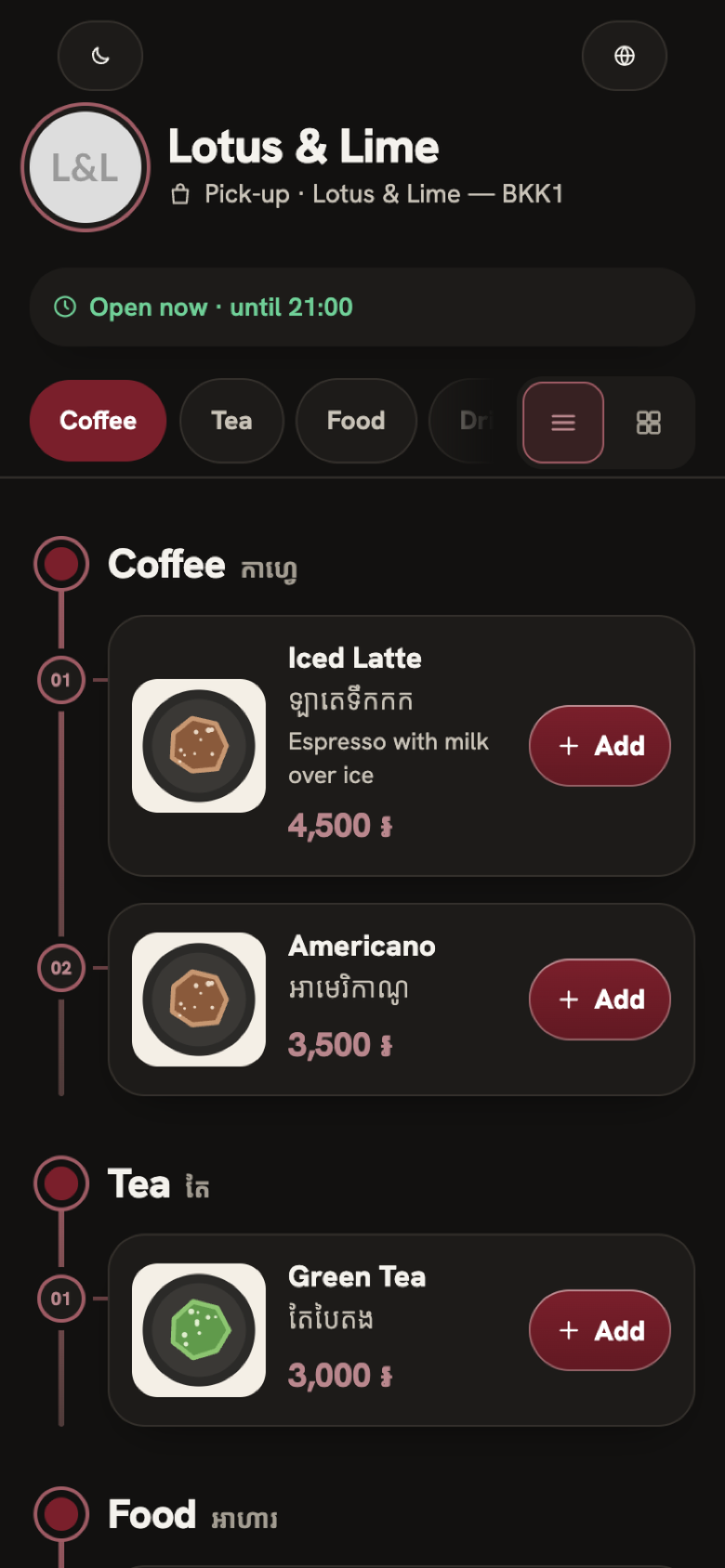
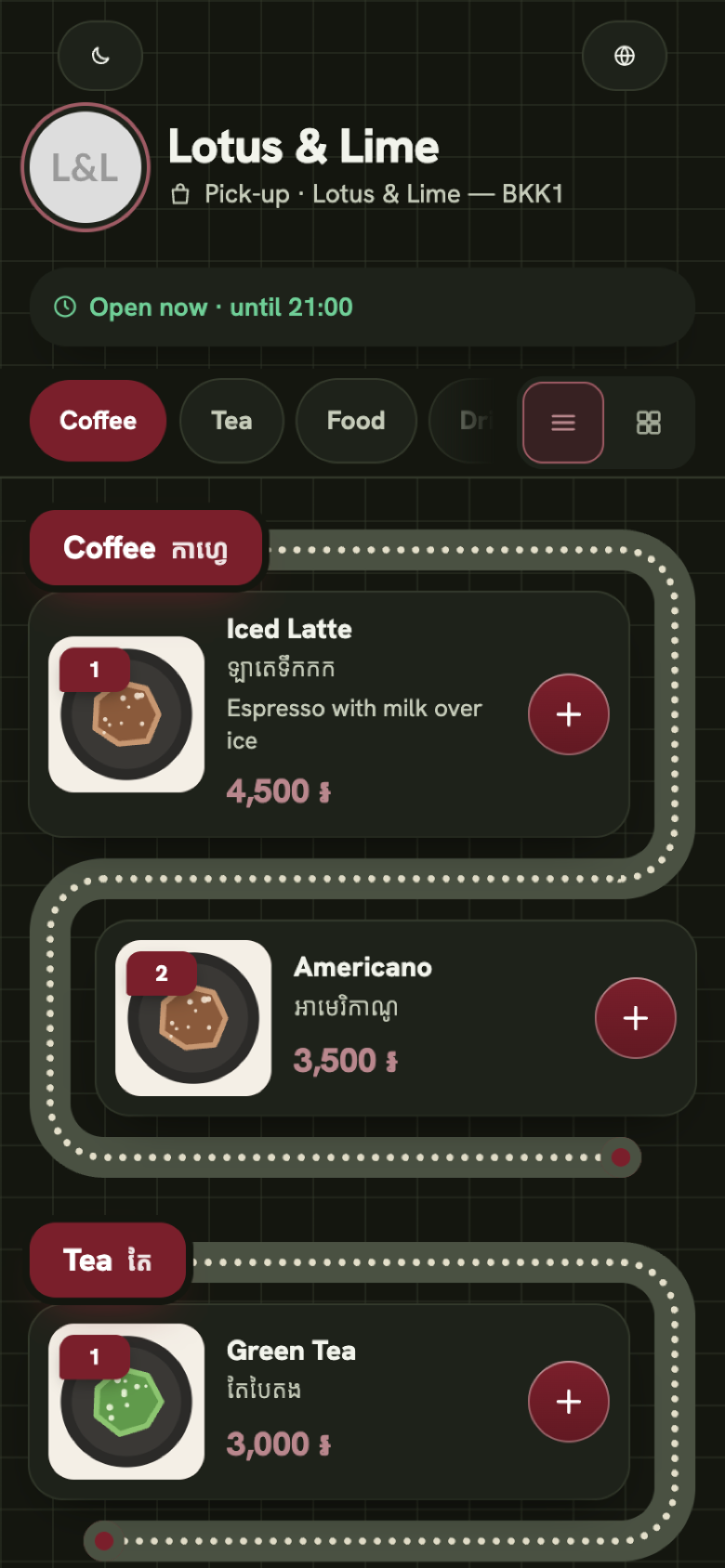
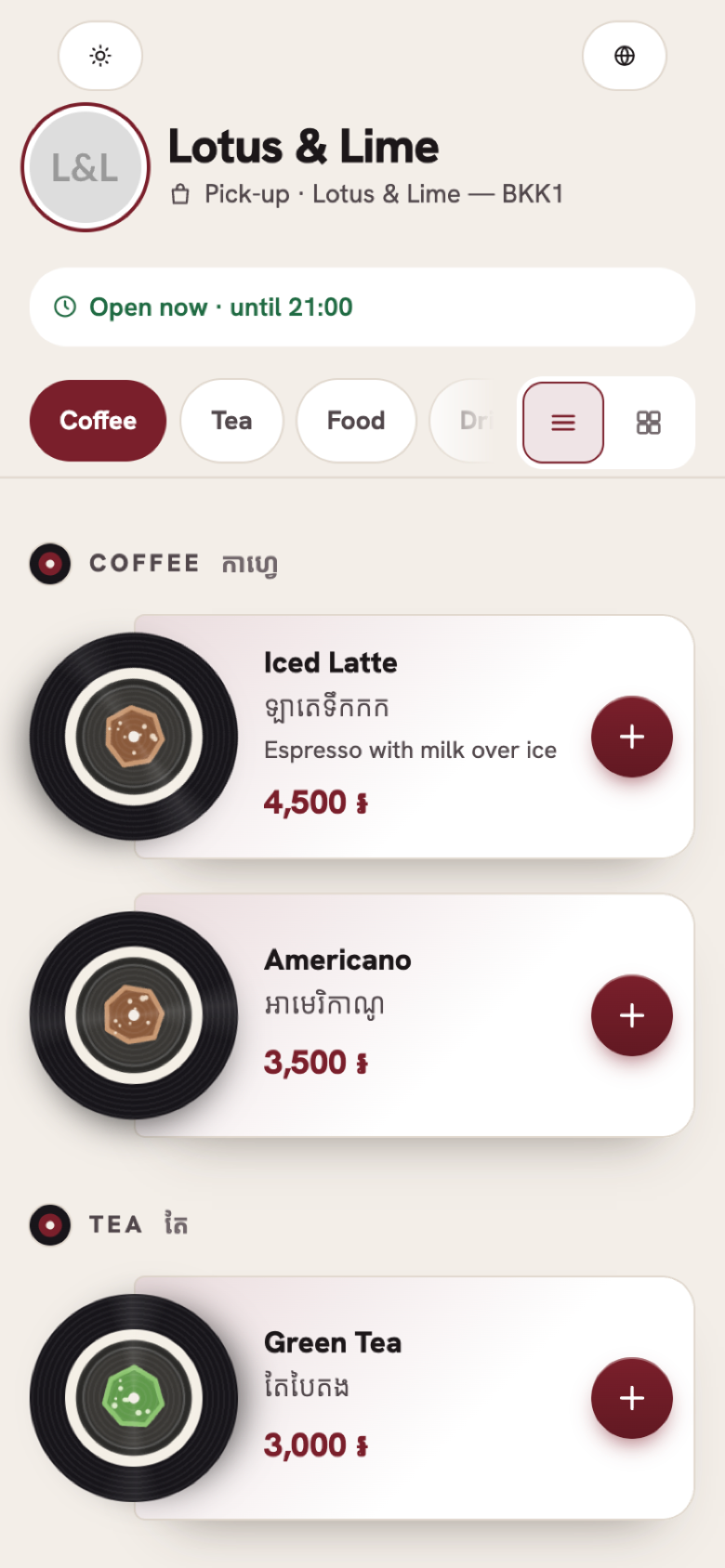
- Timeline suits a set menu, a coffee bar with a short list, or any menu read top to bottom.
- Roadmap suits a fun, family or street-food shop, and a menu people browse dish by dish.
- Disc suits a café, a bar or a dessert shop with a few photographed favorites, and an evening crowd.
Every look
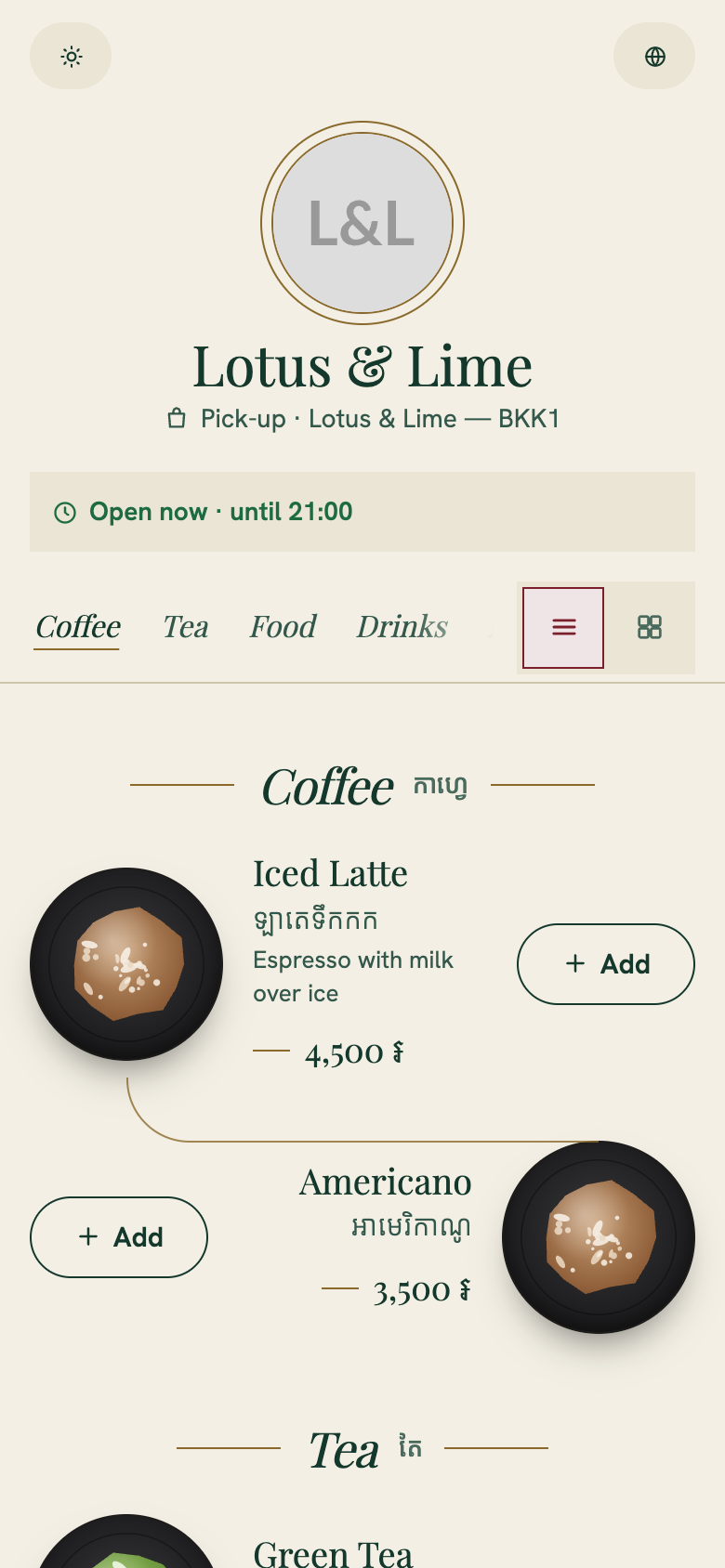
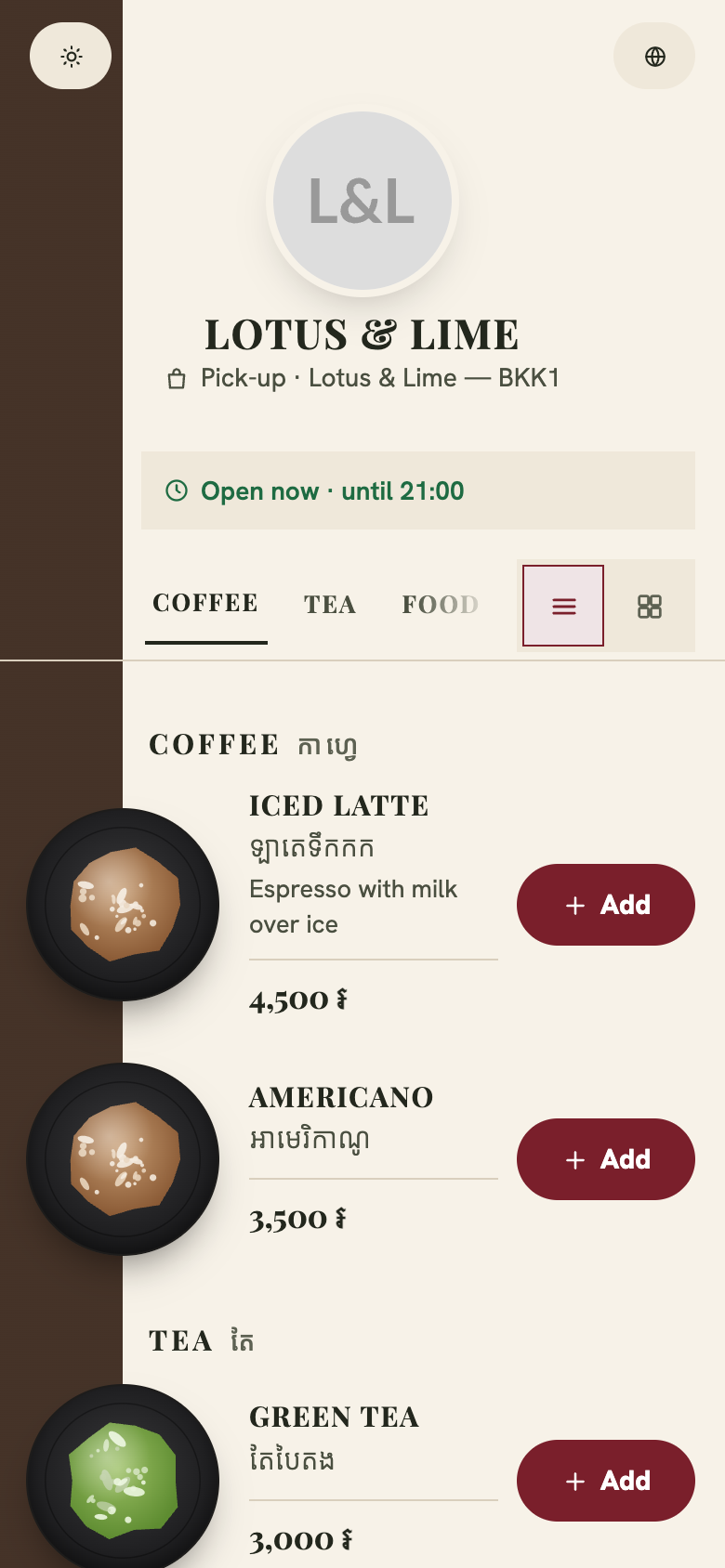
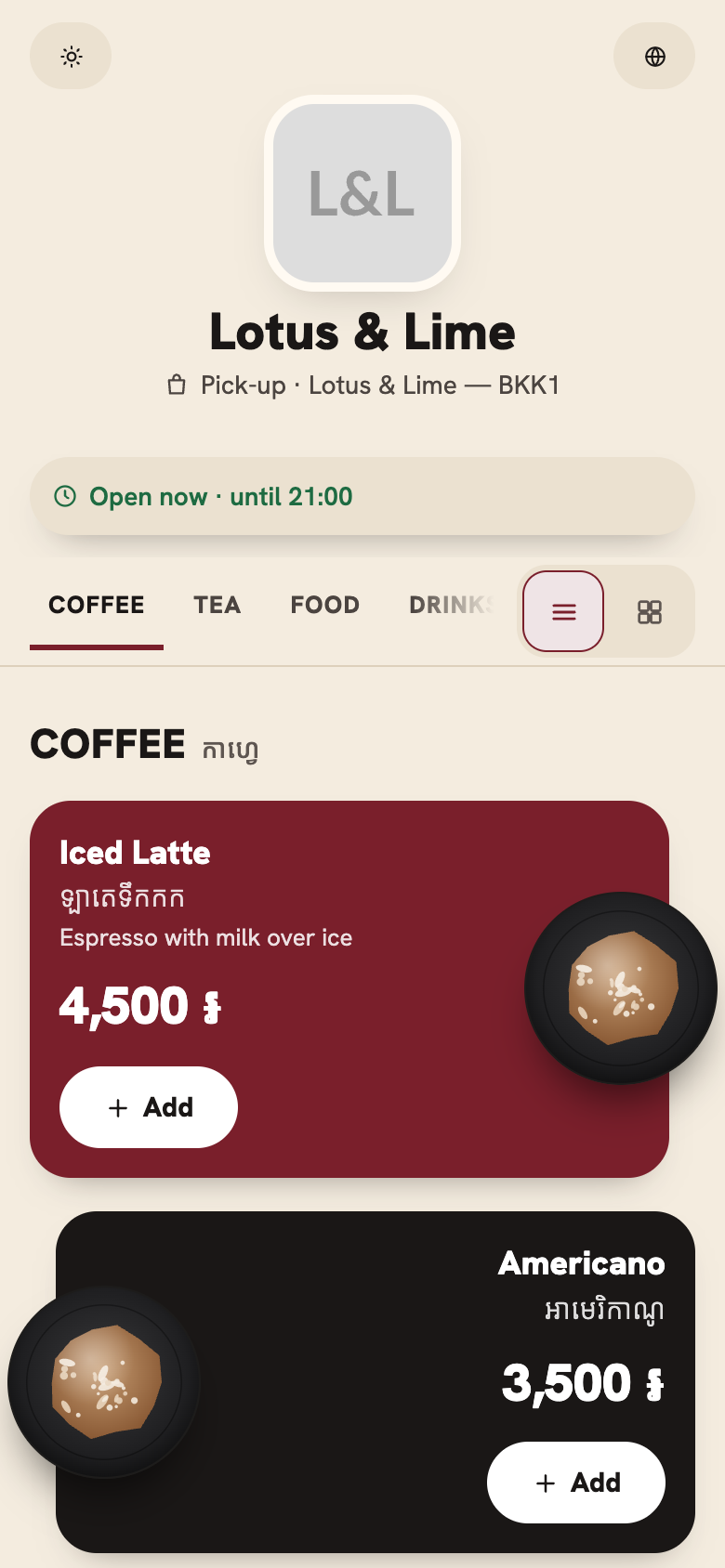
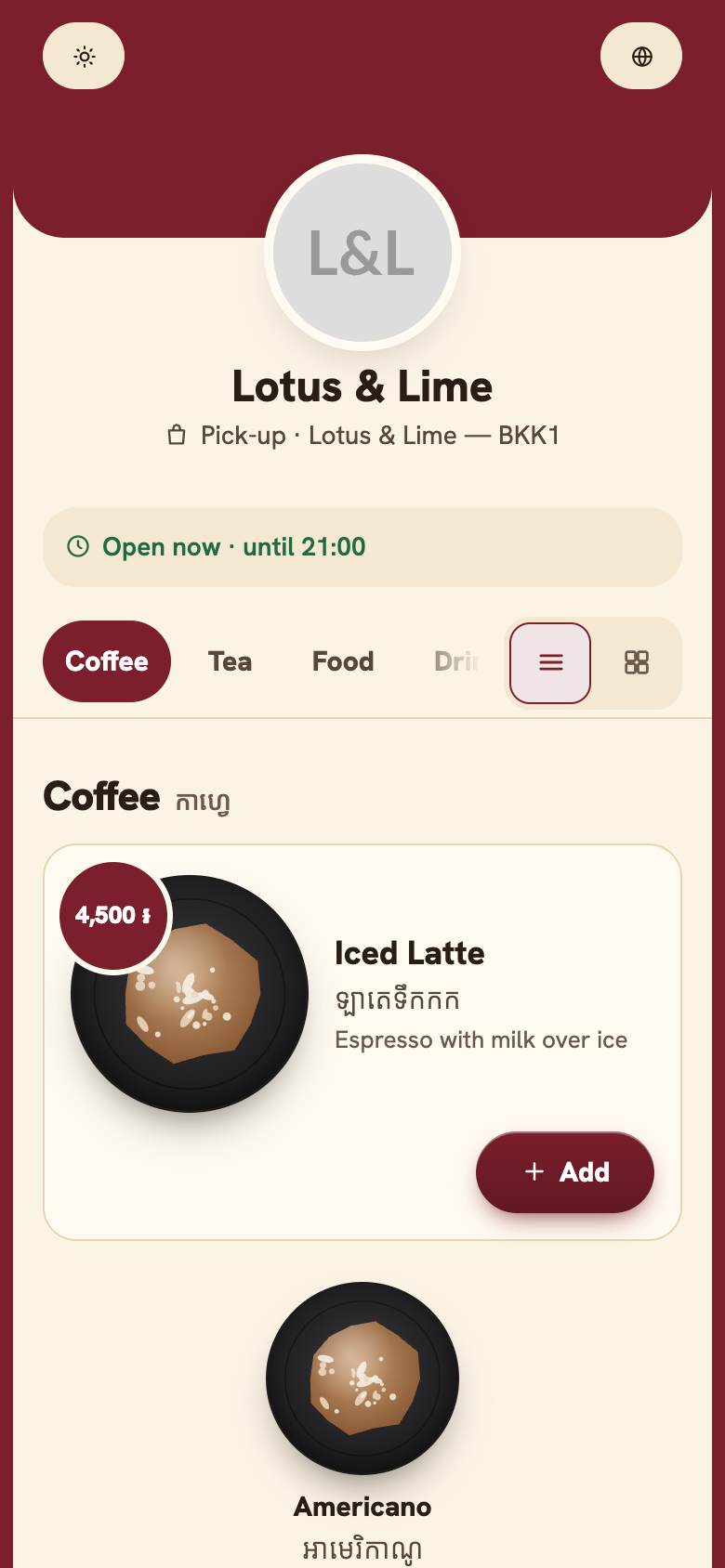
Here is each look in a sentence, grouped by family, with one picture each.
Clean and colorful
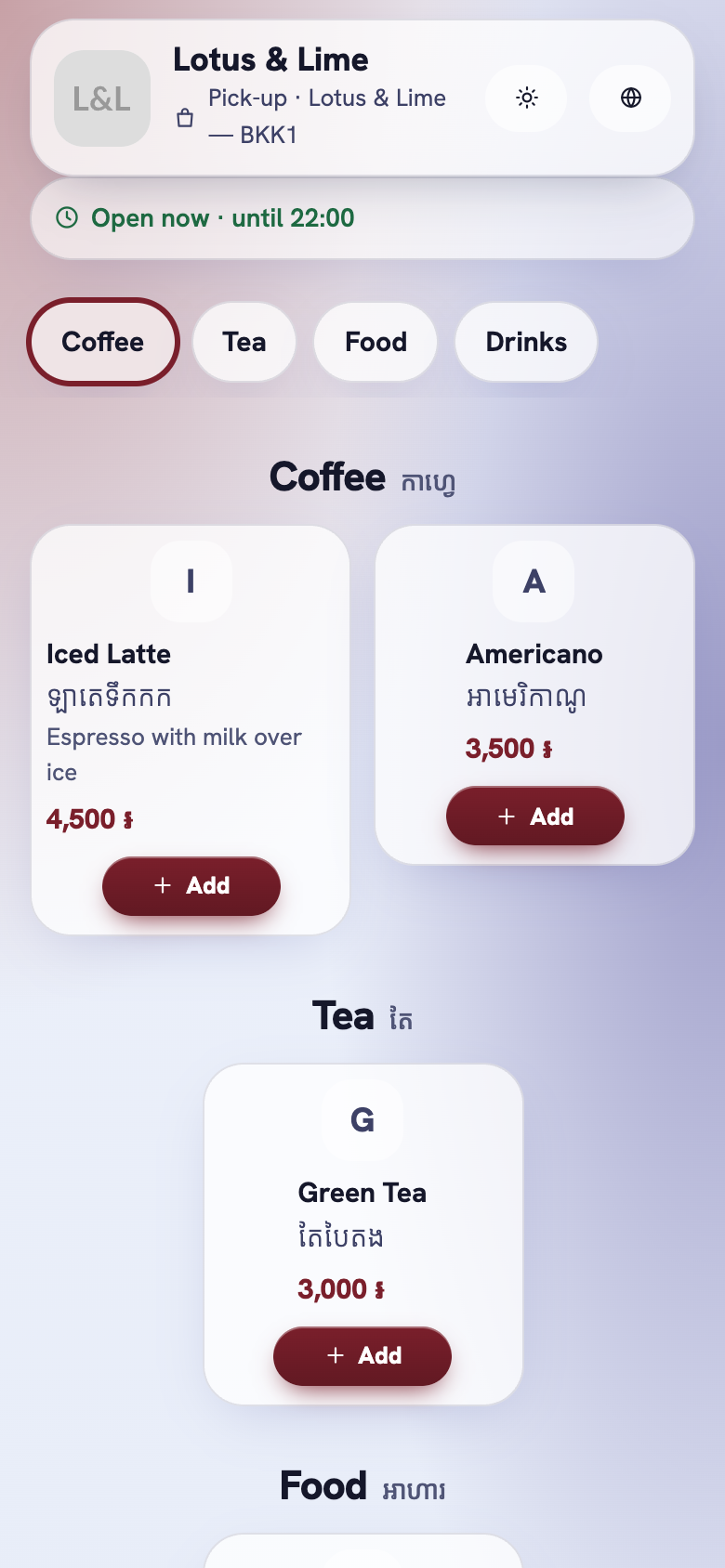
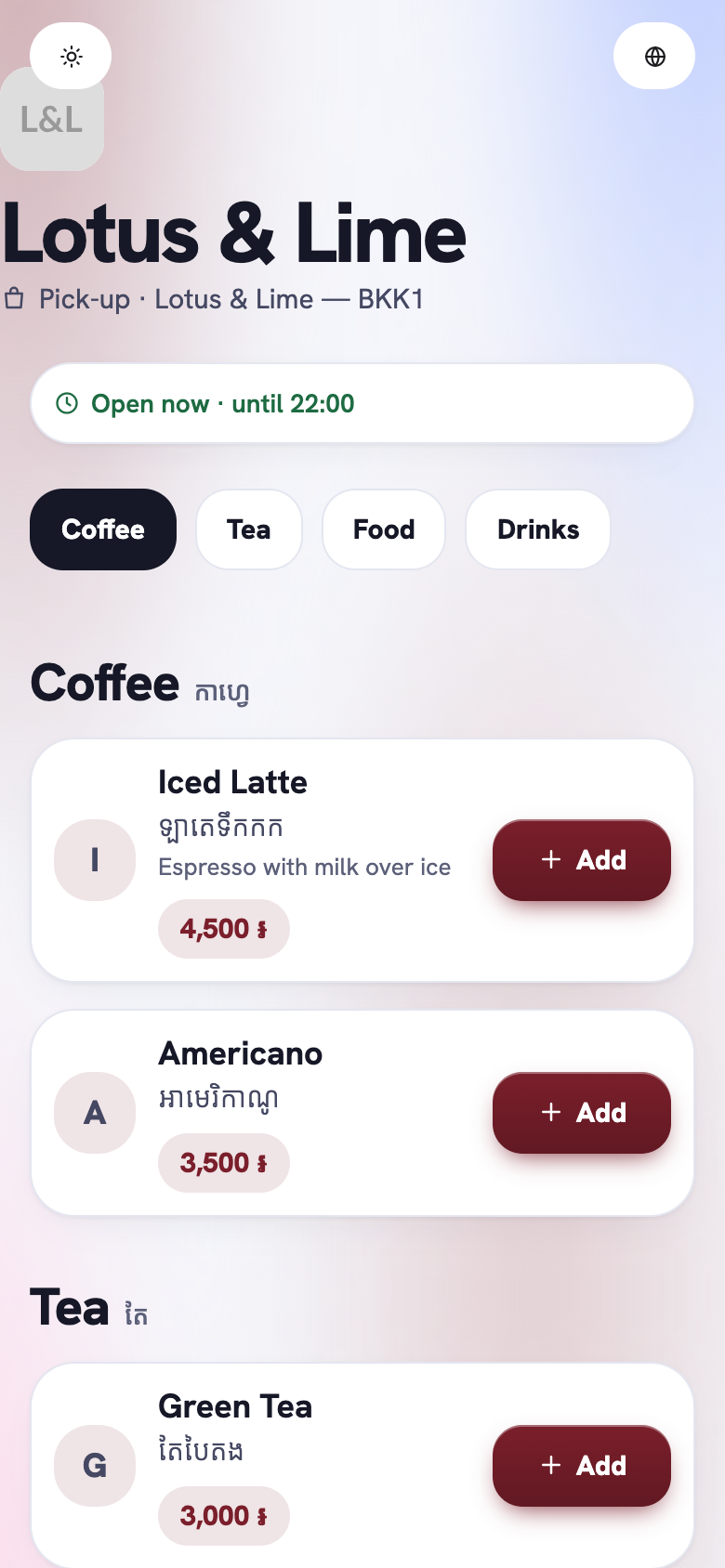
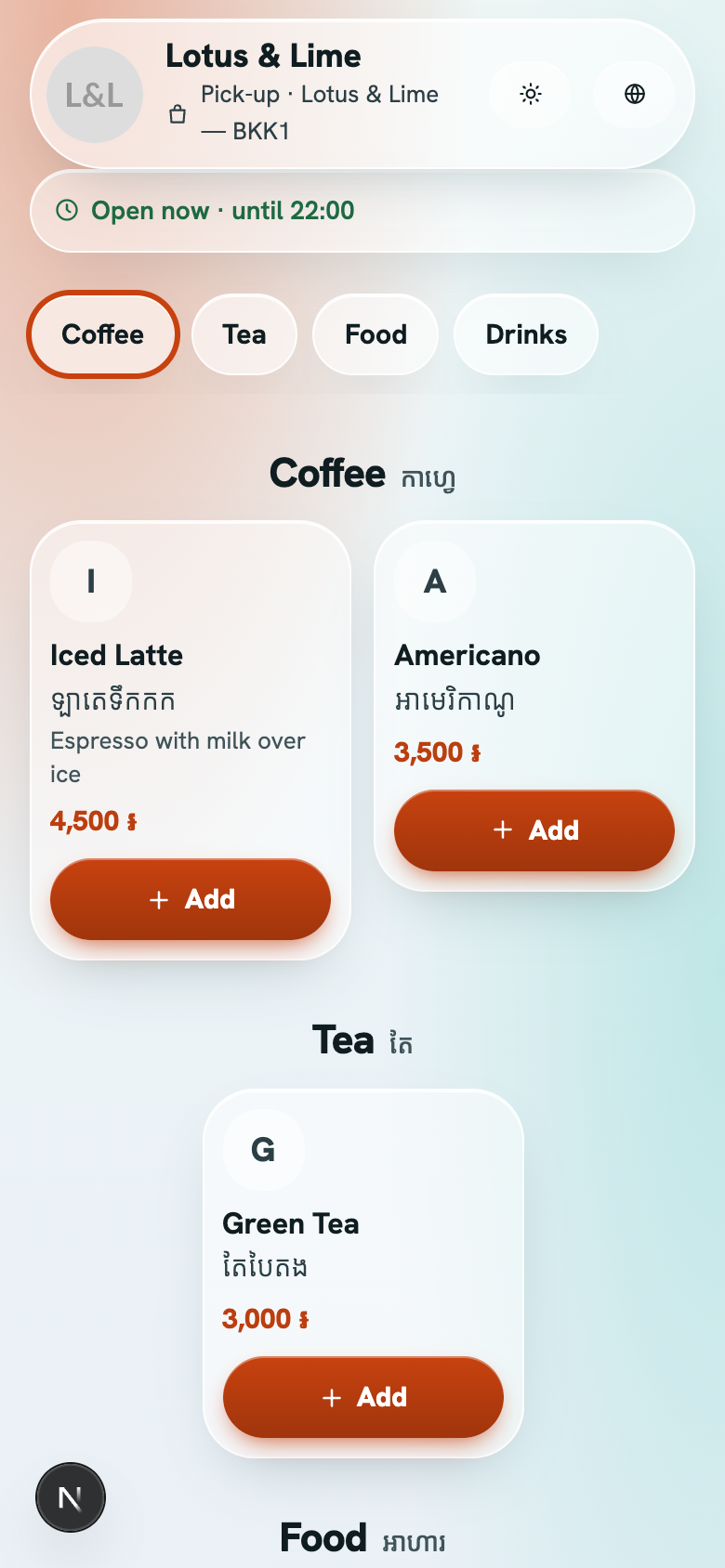
- Glass: frosted, translucent cards over your brand color.
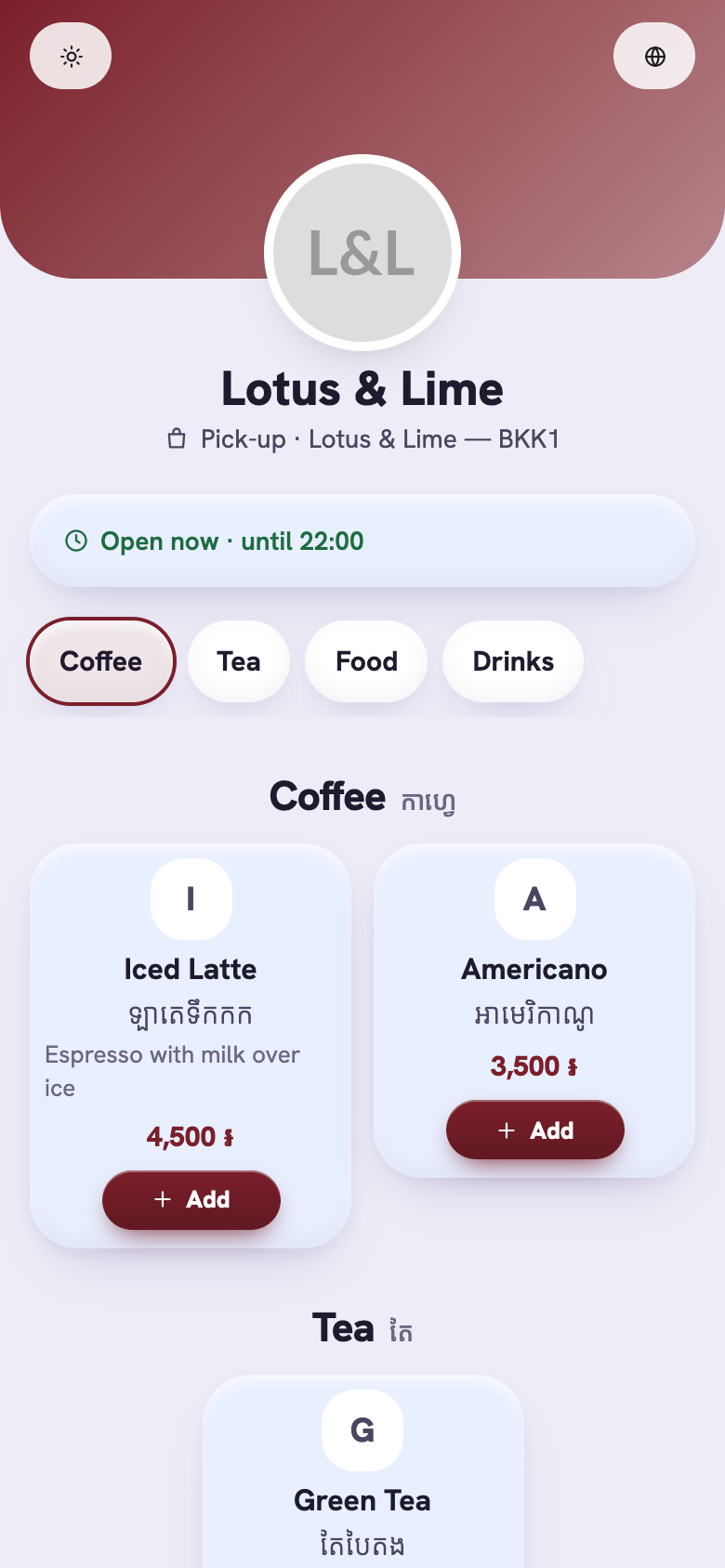
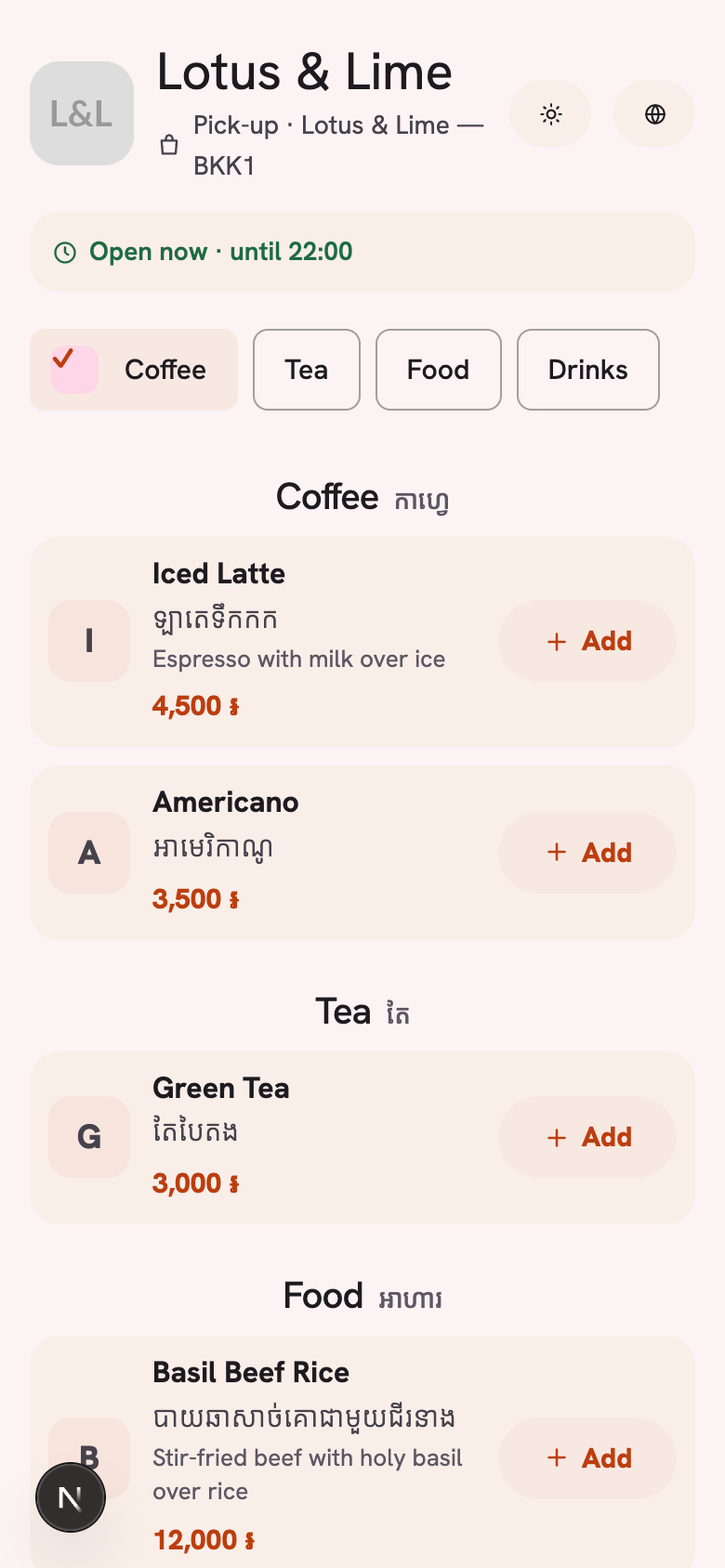
- Soft: rounded pastel tiles, big bold titles and glossy pill-shaped Add buttons.
- Aurora: a large shop name over a moving gradient, big category tabs, and wide dish cards with the price as a tag.
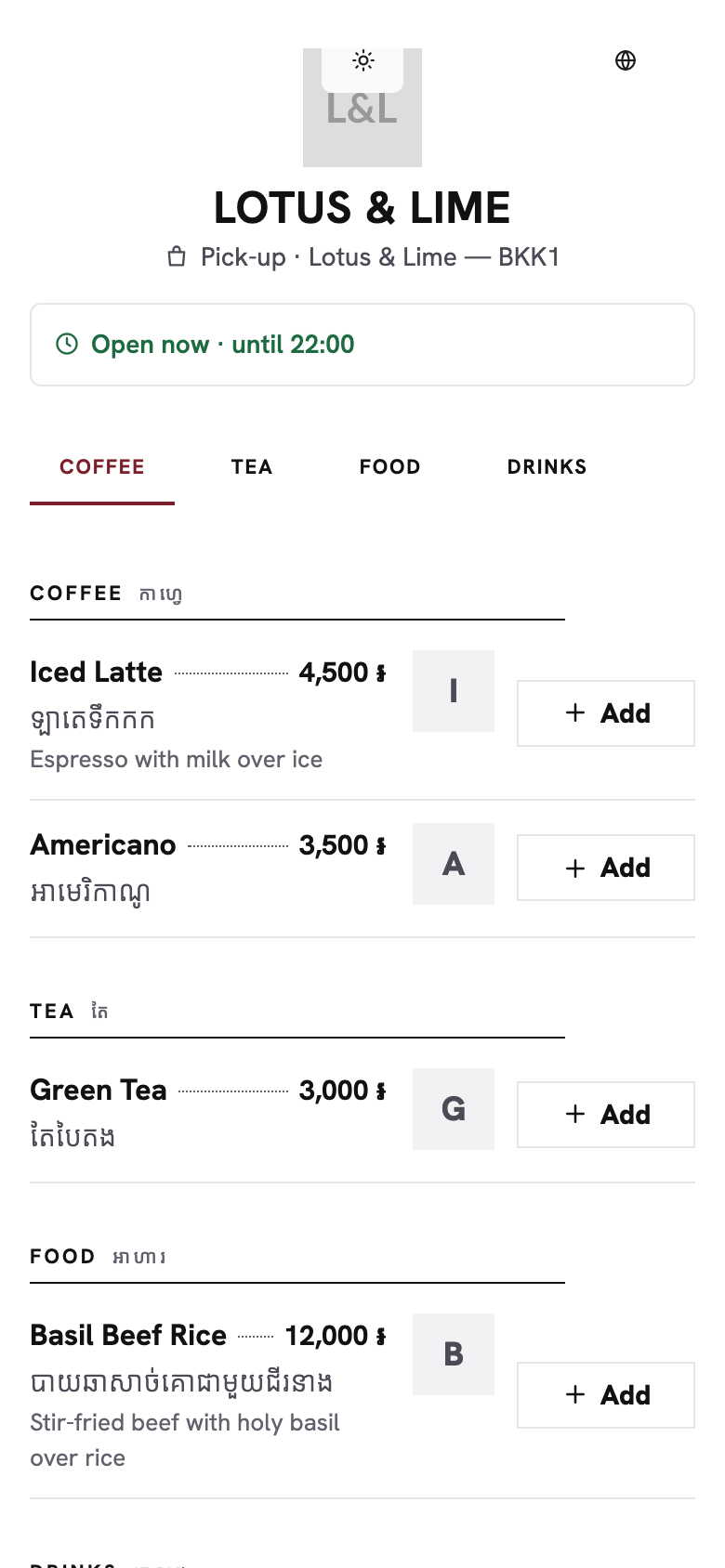
- Clean: a printed-menu list with dotted leaders, small caps and hairlines, and no cards.
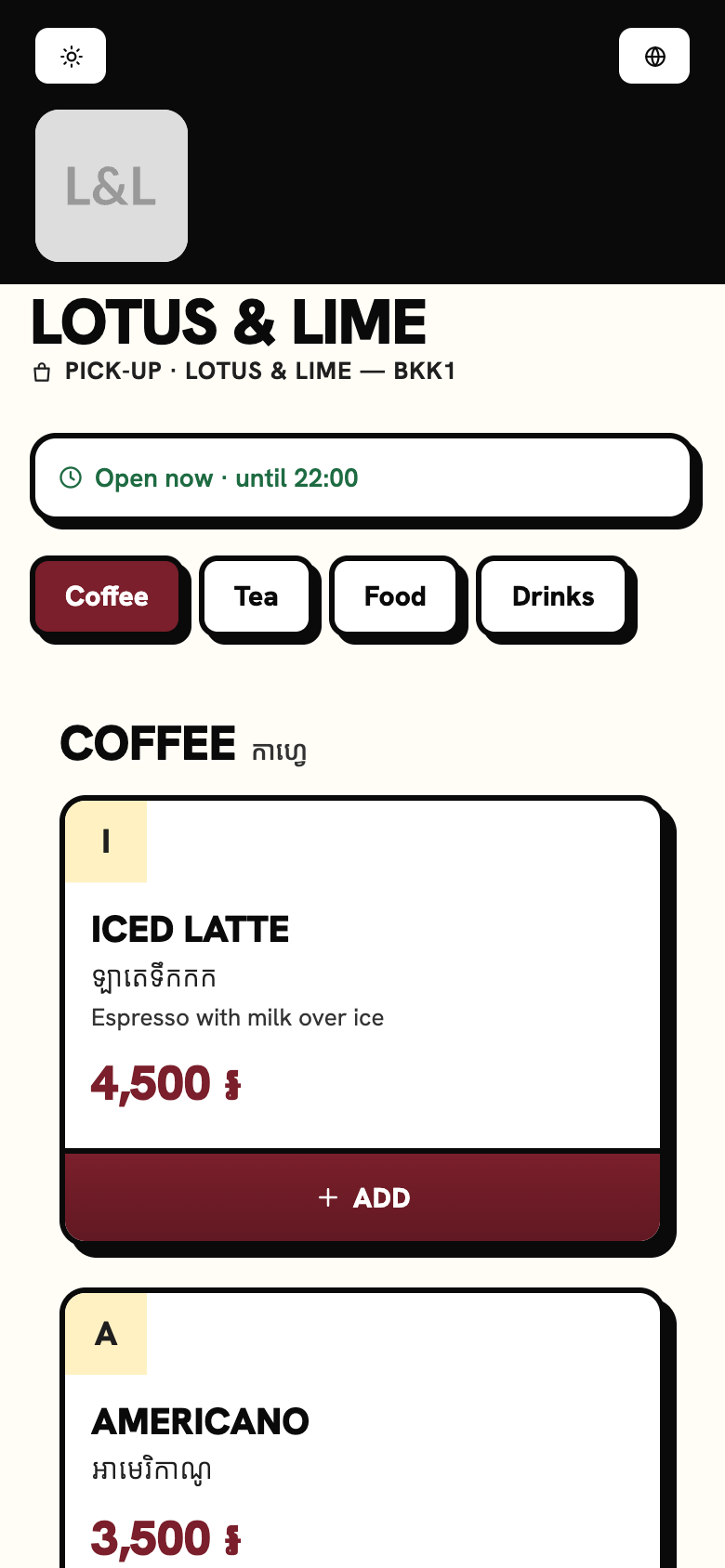
- Bold: a magazine layout with one big photo per row, huge prices, thick outlines and solid offset shadows.
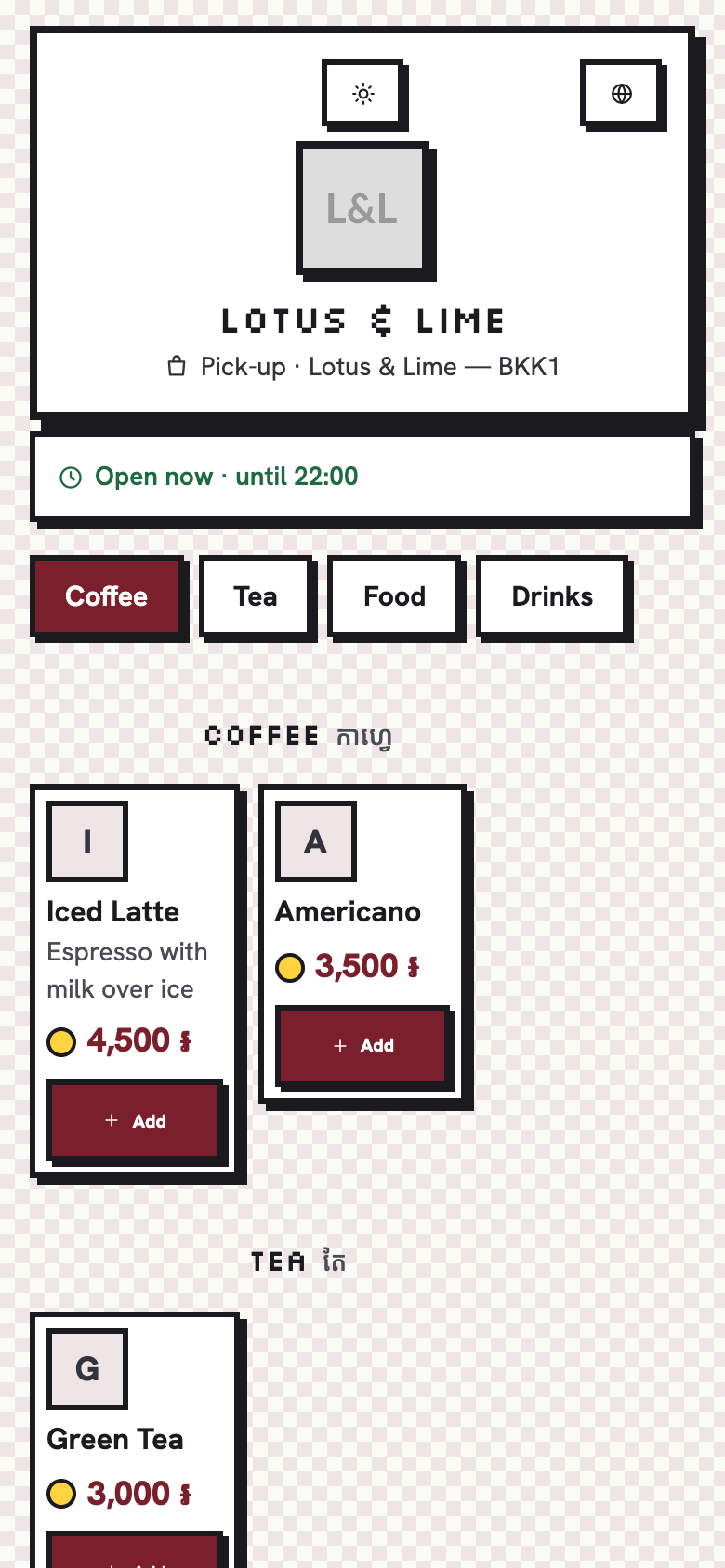
- Pixel: a retro game look, with an 8-bit framed header, dishes in a two-column inventory and coin prices.
Like an app on the phone
- Liquid: clear glass surfaces with a light edge, and floating capsule bars that shrink as the menu scrolls.
- Material: tonal surfaces in your brand color, filled cards, and a large top bar that collapses as you scroll.
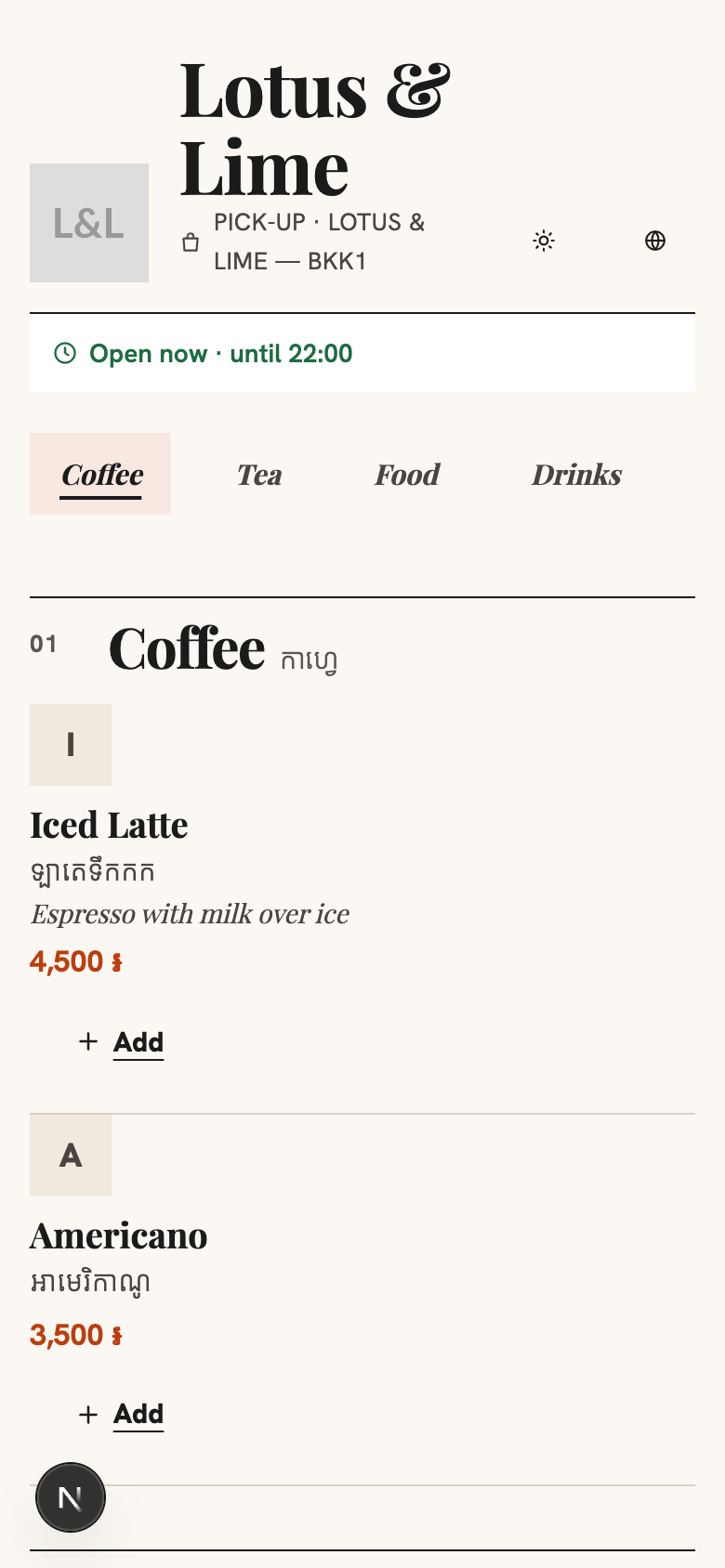
- Editorial: a food magazine, with a serif display face, numbered sections, thin rules and text-link Add buttons.
Round plates
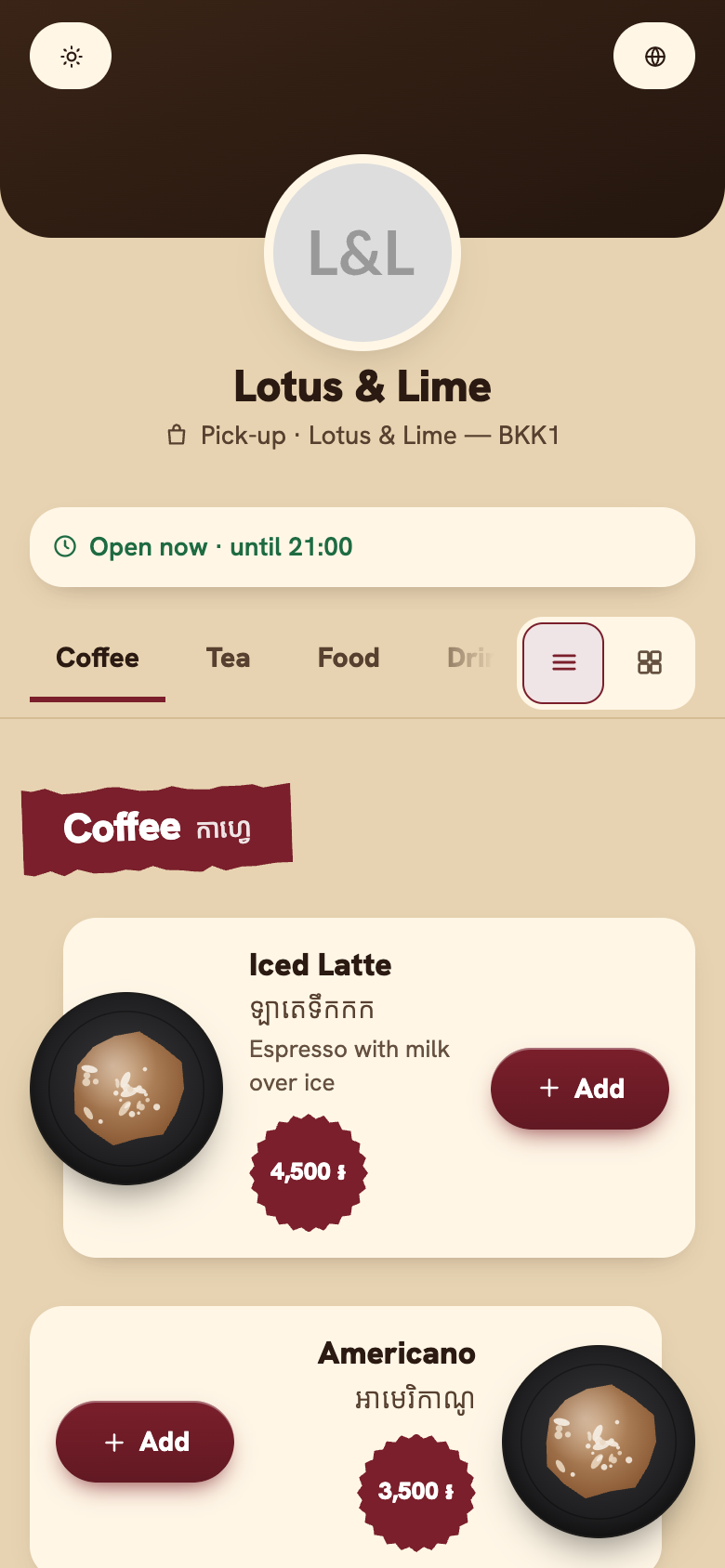
- Street: a night-market stall, with each section title on a torn strip of your brand color and the plates breaking out of their cards on alternate sides.
- Garden: a quiet dining room, with serif titles between thin rules and round plates on alternate sides.
- Café: a two-tone page, a narrow column down the left and the plates sitting on the line between.
- Grill: a burger counter, with cards in your brand color and near-black, and big prices.
- Feast: a cream page framed in your brand color, each section opening on its first dish, large.
- Pop: a playful poster, with the shop’s name huge and the dishes in bright cards of five colors.
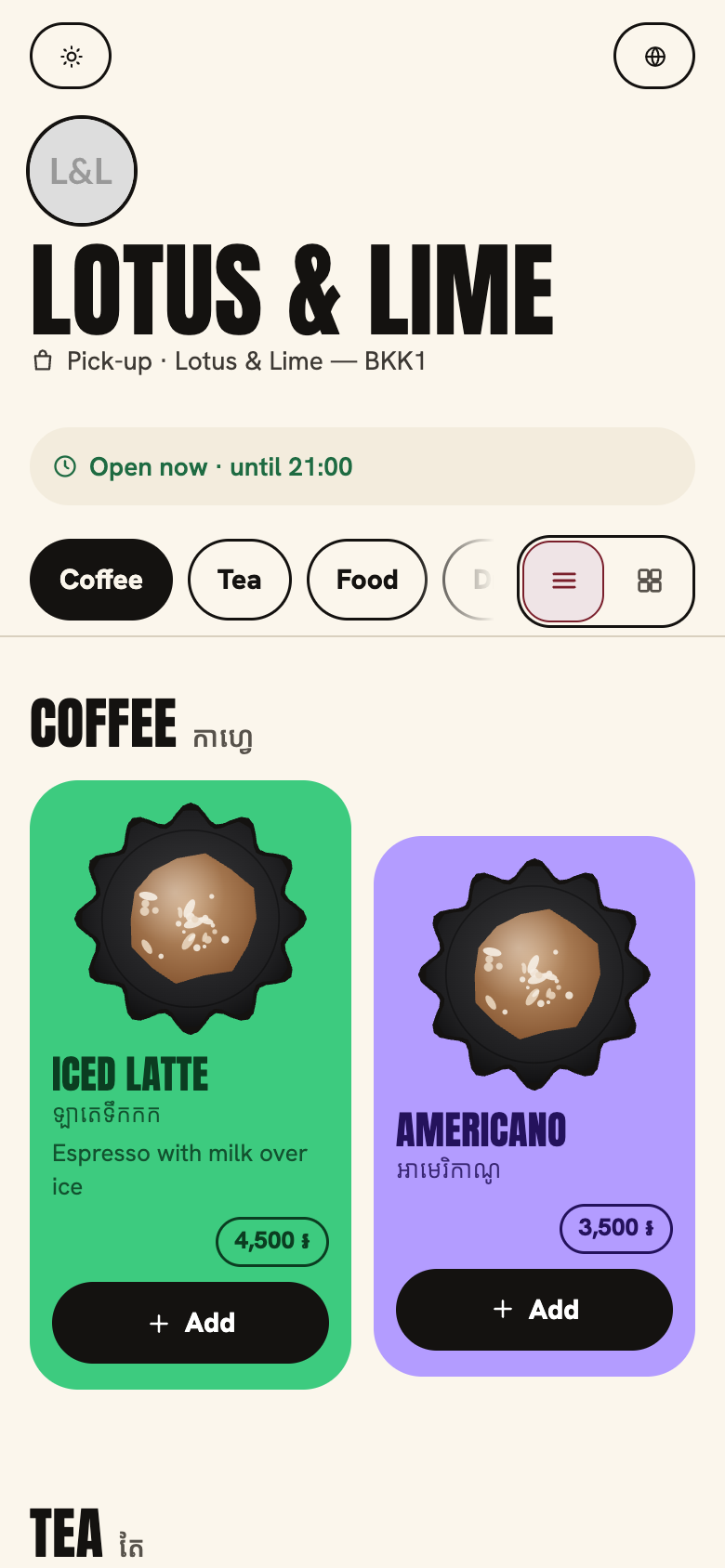
Modern
- Bento: the menu as a grid of rounded tiles of mixed sizes, a dish worth it spanning two columns.
- Spotlight: one dish at a time, full-bleed, on a dark page with your brand color as its glow.
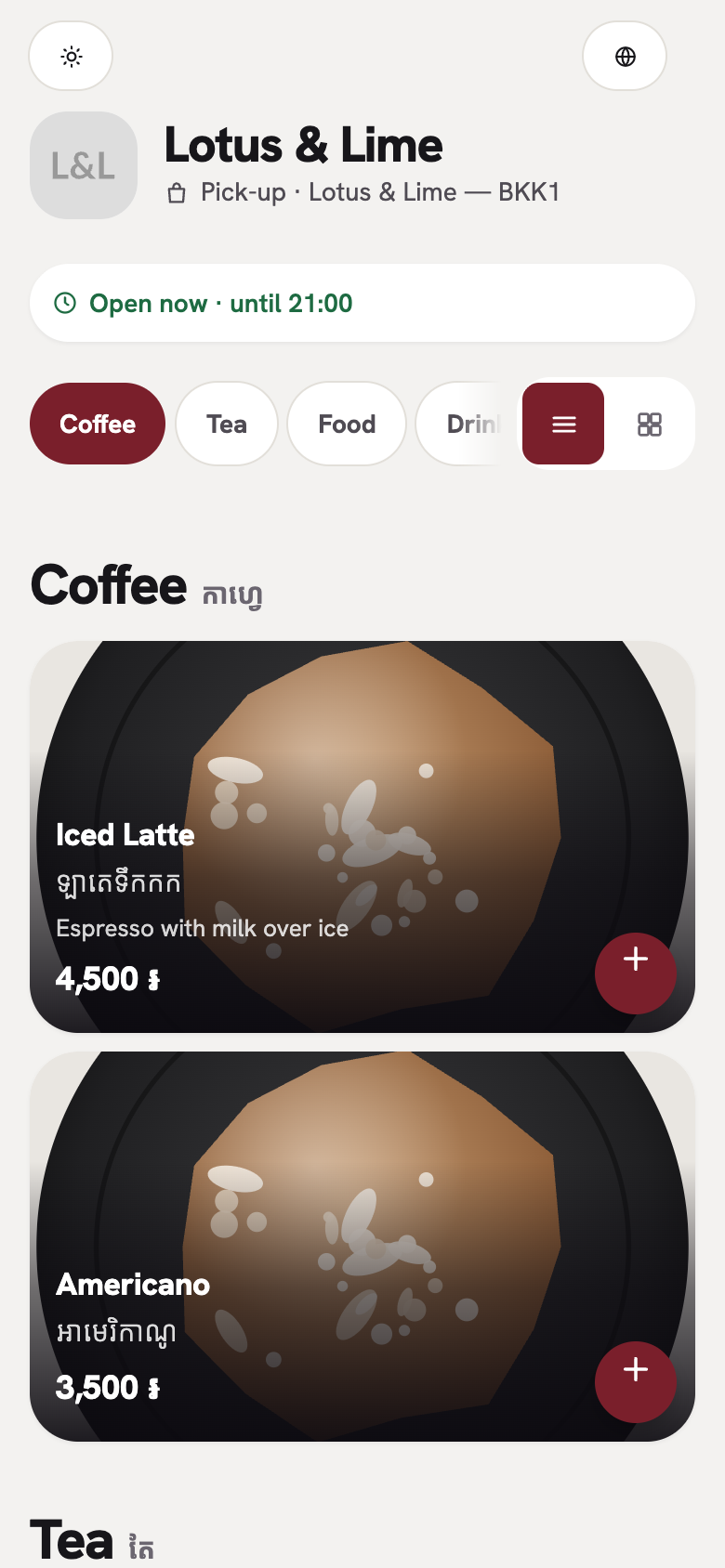
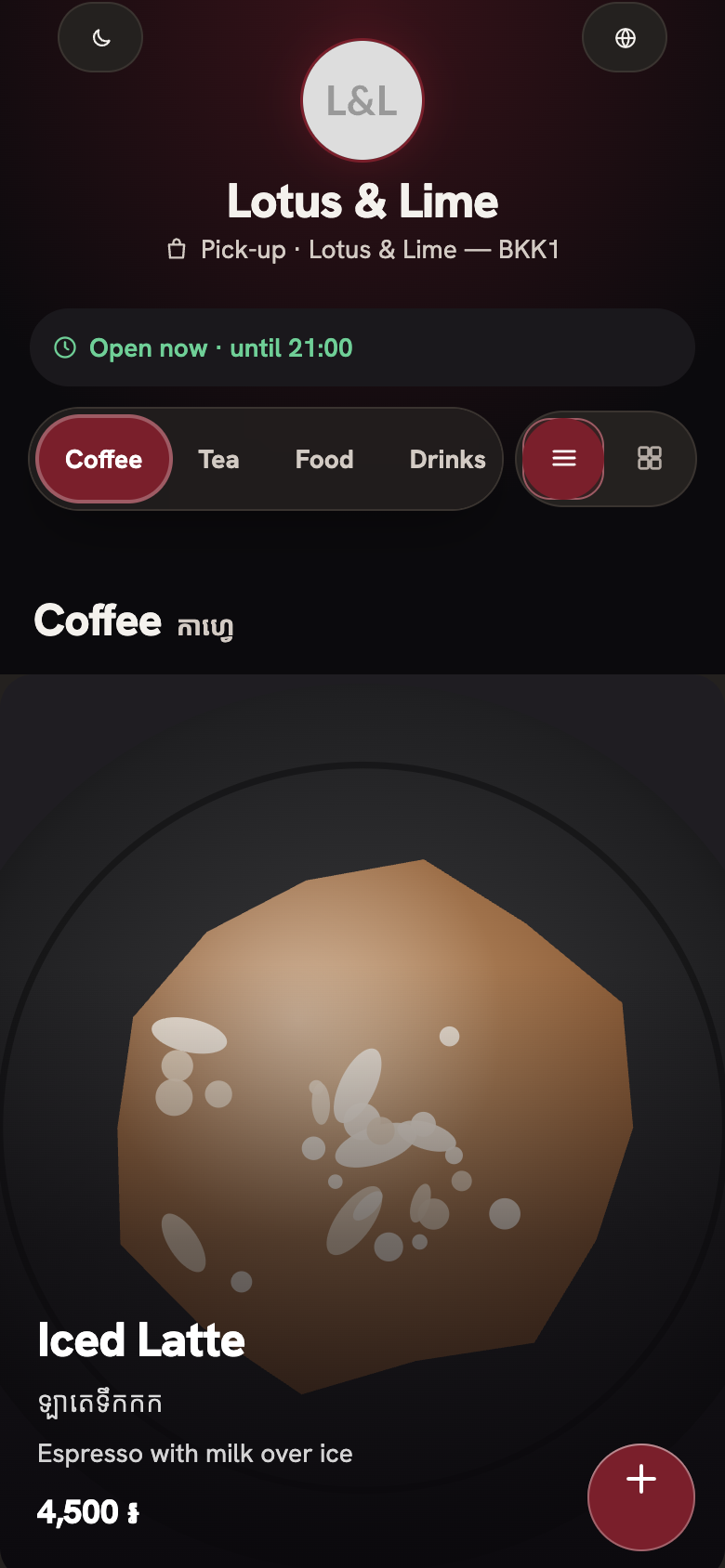
A journey through the menu
Timeline, Roadmap and Disc, shown at the top of this guide.
One look in the Mini App, another on the QR code
A store now keeps two looks: one for the Telegram Mini App, and one for the page customers open from the pick-up QR code or link. You might keep Follow Telegram inside Telegram, so the Mini App feels like part of the chat, and give the QR code a designed look, or pick two designed looks. Until you choose, both show the look the store had before.
Choose a look, on the web or in the Console app
- Open the store’s settings, then Pick-up ordering.
- Under Page look in the Mini App, tap the look the Mini App should have.
- Under Page look on the QR code and link, tap the look for the page customers open from the QR code.
The console on the web and the Bill&Go Console app show the same looks as small pictures, and each one has a Preview that opens the page in that look without saving it. On the web, the page’s live preview also shows it in light and dark. Each branch keeps its own looks.
Good to know. Page look comes with Starter and up, from $15.99 a month. A shop on Free keeps Follow Telegram. See every plan on the pricing page.
Questions
Can the Mini App and the QR code page have different looks?
Yes. Each store keeps one look for the Telegram Mini App and one for the page opened from the pick-up QR code or link. Until you pick, both show the look the store had.
Can I choose the look from my phone?
Yes. The Bill&Go Console app has the same looks under the store’s settings, Pick-up ordering, with a Preview for each.
Do the records in Disc always turn?
They turn as the customer scrolls on browsers that support it, and stay still on the others. When the phone’s Reduce Motion is on, nothing moves.
Which looks come with the Free plan?
Free shops keep Follow Telegram, the default look. The twenty designed looks come with Starter and up.
Still stuck?
Tell the Bill&Go team in Phnom Penh what you were trying to do, and we'll walk you through it.