




Close a shift
Count the drawer, see if it is over or short, and print the shift summary.
- Who
- Whoever has the till; anyone taking it over
- Where
- Till → Accounting → Close the till
Accounting shows the shift so far: what should be in the drawer per currency (float, cash taken, put in, taken out, given back), sales, each payment method, voids and refunds, and sales by person.
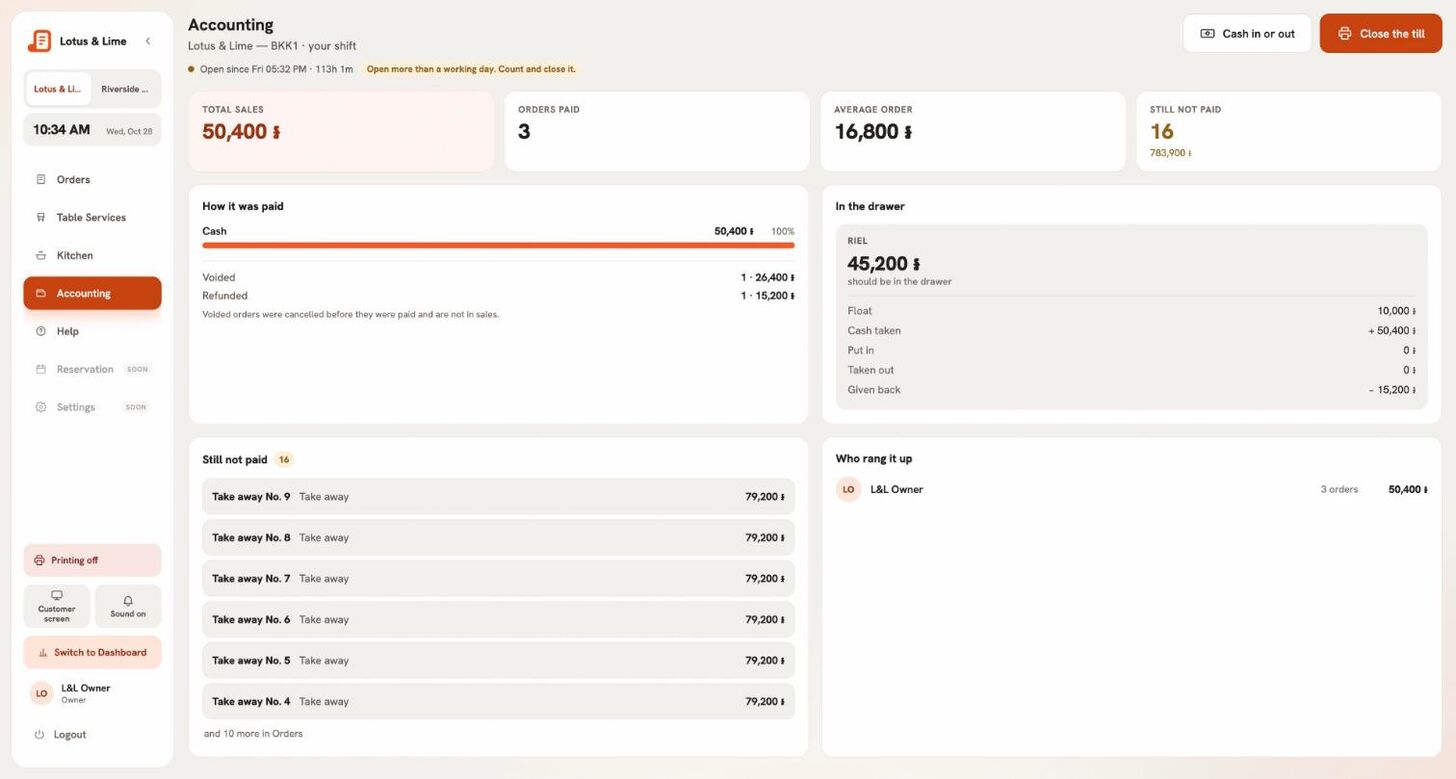
- Press Close the till.
- Each currency is filled in with what should be in the drawer. Count the drawer and change the figure if yours is different; each shows Exact, Over by or Short by.
- If it is different, say why in Why the count is different.
- Press Close the till and print, then Yes, close the till.
- The summary prints. Open the next shift starts the next one.
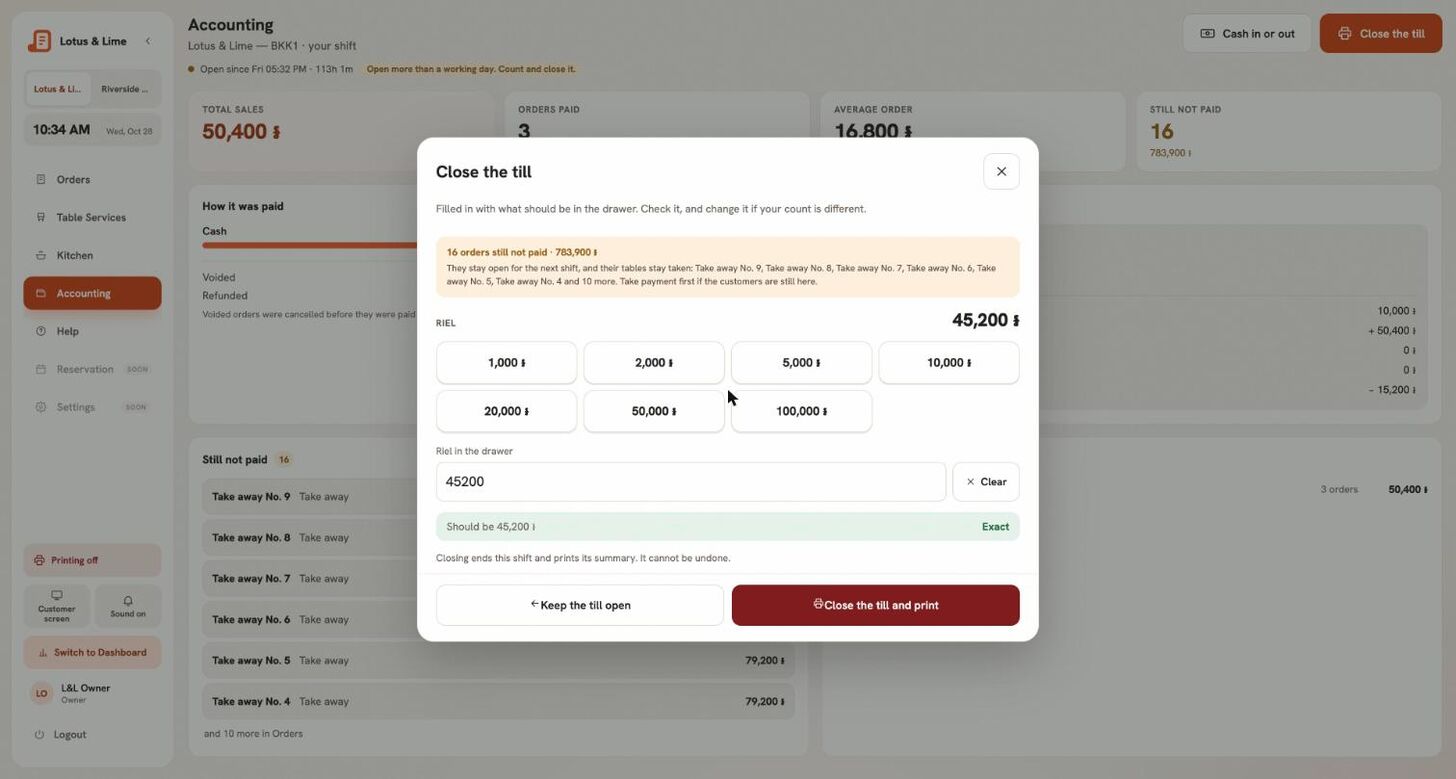
Orders not yet paid stay open for the next shift and keep their tables.
Tip. On Starter and above, Keep the summary saves it as Excel, CSV or PDF.
Good to know. Taking over someone else’s drawer, you count it without seeing what it should be, so the count is honest.
Still stuck?
Tell the Bill&Go team in Phnom Penh what you were trying to do, and we'll walk you through it.