




Change what the bill and tickets say
Use receipt templates for your logo, words, VAT line, the other money and Khmer names, with a live preview.
- Who
- Owner and managers
- Where
- Console → Receipts
A template makes one paper: a Bill, a Kitchen ticket or a Cup sticker. The preview beside the form is drawn the same way the printer prints, so what you see is what prints.
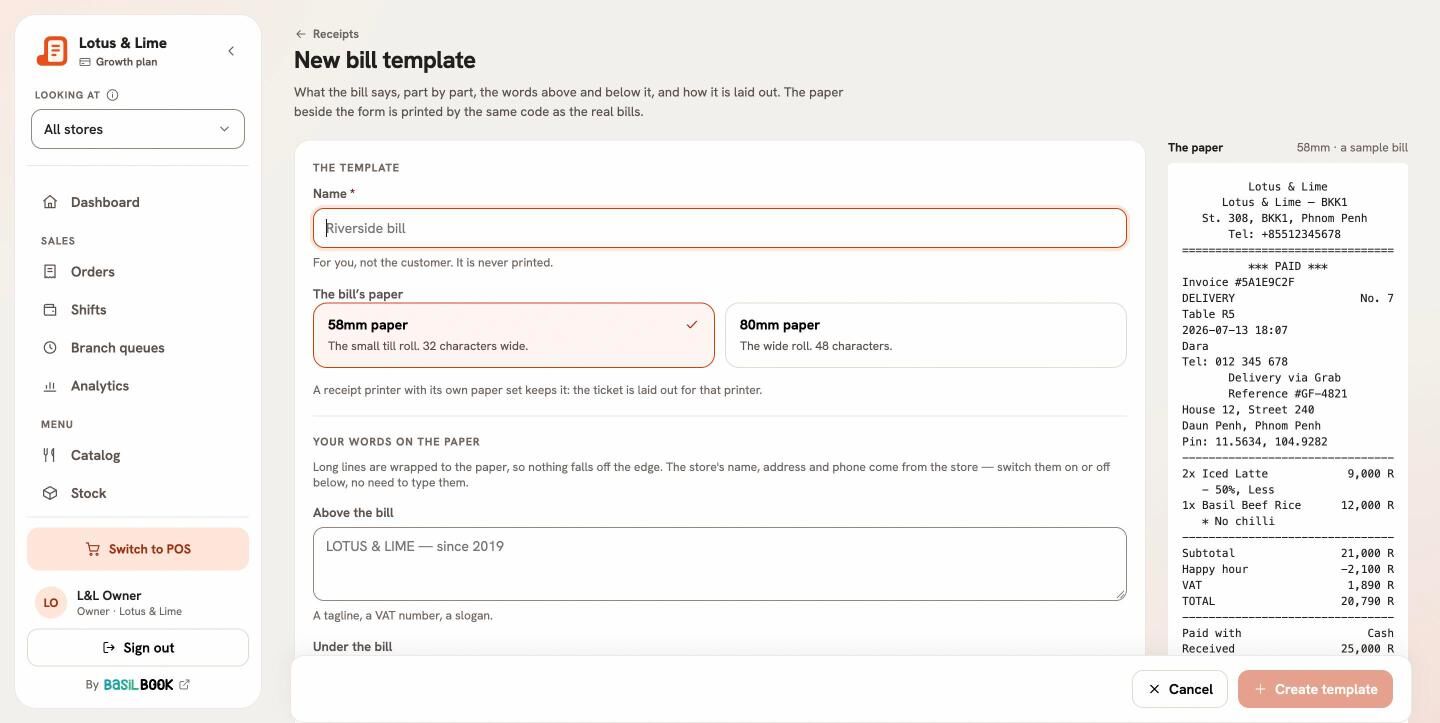
What a bill template changes
- Your words on the paper: text Above the bill (a VAT number, a slogan) and Under the bill (thank you, the wifi password).
- The top: your logo, the store’s address and phone.
- About the order: call number, table, time, who rang it up, the customer and delivery details.
- The items: Khmer names, choices, notes, the price of one.
- The totals: VAT on its own line, and The other money: under the total, on every item, or not on the bill.
- Payment: how it was paid, cash received and change.
Every item, every discount and the total always print; a template changes the words around them, never the sums.
Which store uses it
Under Where it prints, pick the Stores, or switch on Use this for any store without its own. The first template you make for a paper is that fallback.
Still stuck?
Tell the Bill&Go team in Phnom Penh what you were trying to do, and we'll walk you through it.