




Add a store
Add a branch with its address, tax, delivery fee and opening hours.
- Who
- Owner and managers
- Where
- Console → Stores → New store
- Open Stores and press New store.
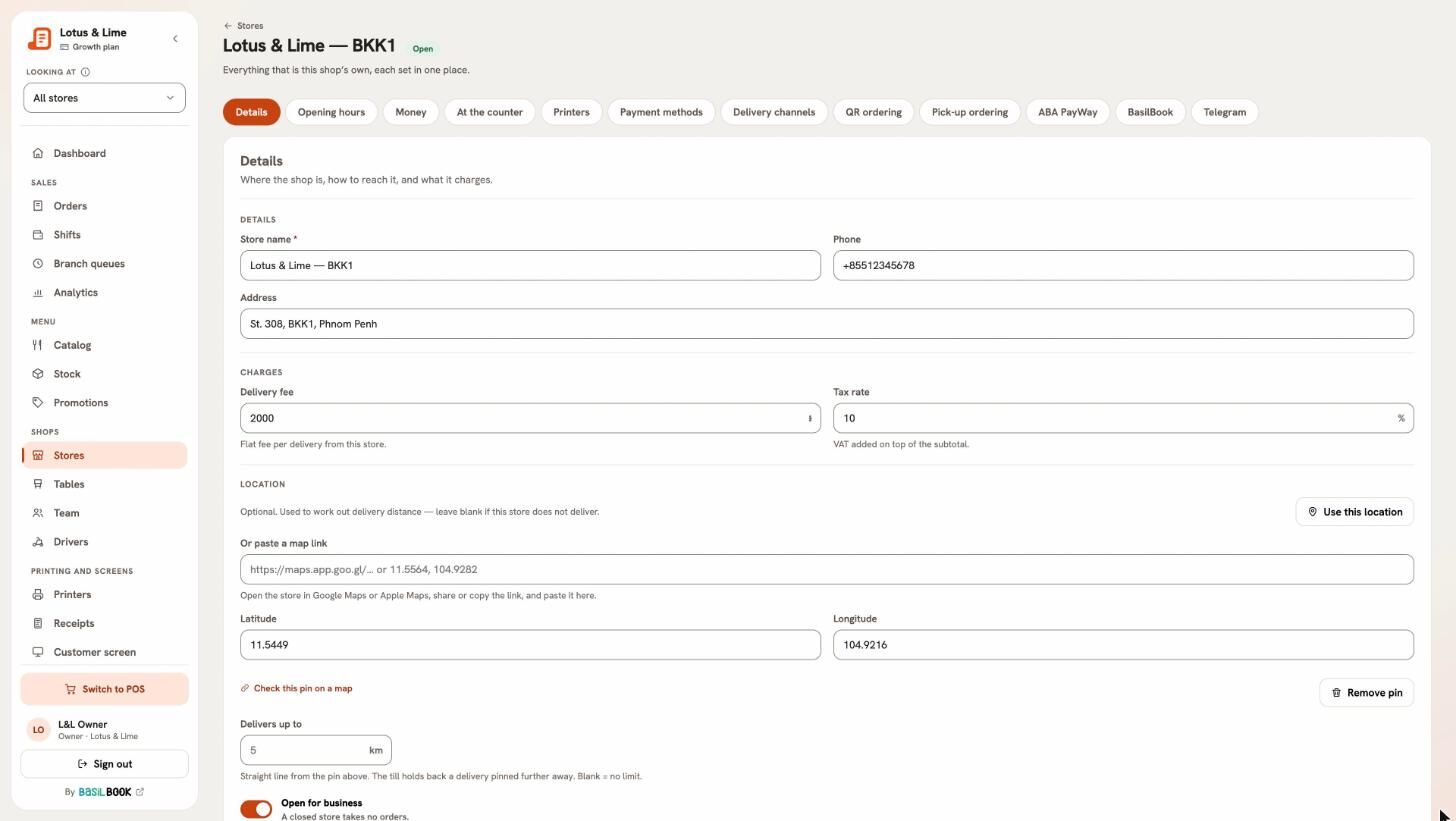
- Under Details, type the Store name, Phone and Address.
- Under Charges, set the Delivery fee and the Tax rate added on top of the subtotal.
- Under Location, press Use this location, or paste a Google Maps or Apple Maps link. Delivers up to limits how far you deliver.
- Set the Opening hours.
- With another store already, Print like copies its bill, kitchen ticket and sticker templates.
- Leave Open for business on and press Add store.
A new store starts with your company’s money settings; change them on its own page.
Good to know. Your plan sets how many stores you can have. A manager who adds a store works there.
Still stuck?
Tell the Bill&Go team in Phnom Penh what you were trying to do, and we'll walk you through it.