




Add a promotion
Set up percent off, money off or buy some get one free, on the whole bill or certain products.
- Who
- Owner and managers
- Where
- Console → Promotions
- Open Promotions and add a new one.
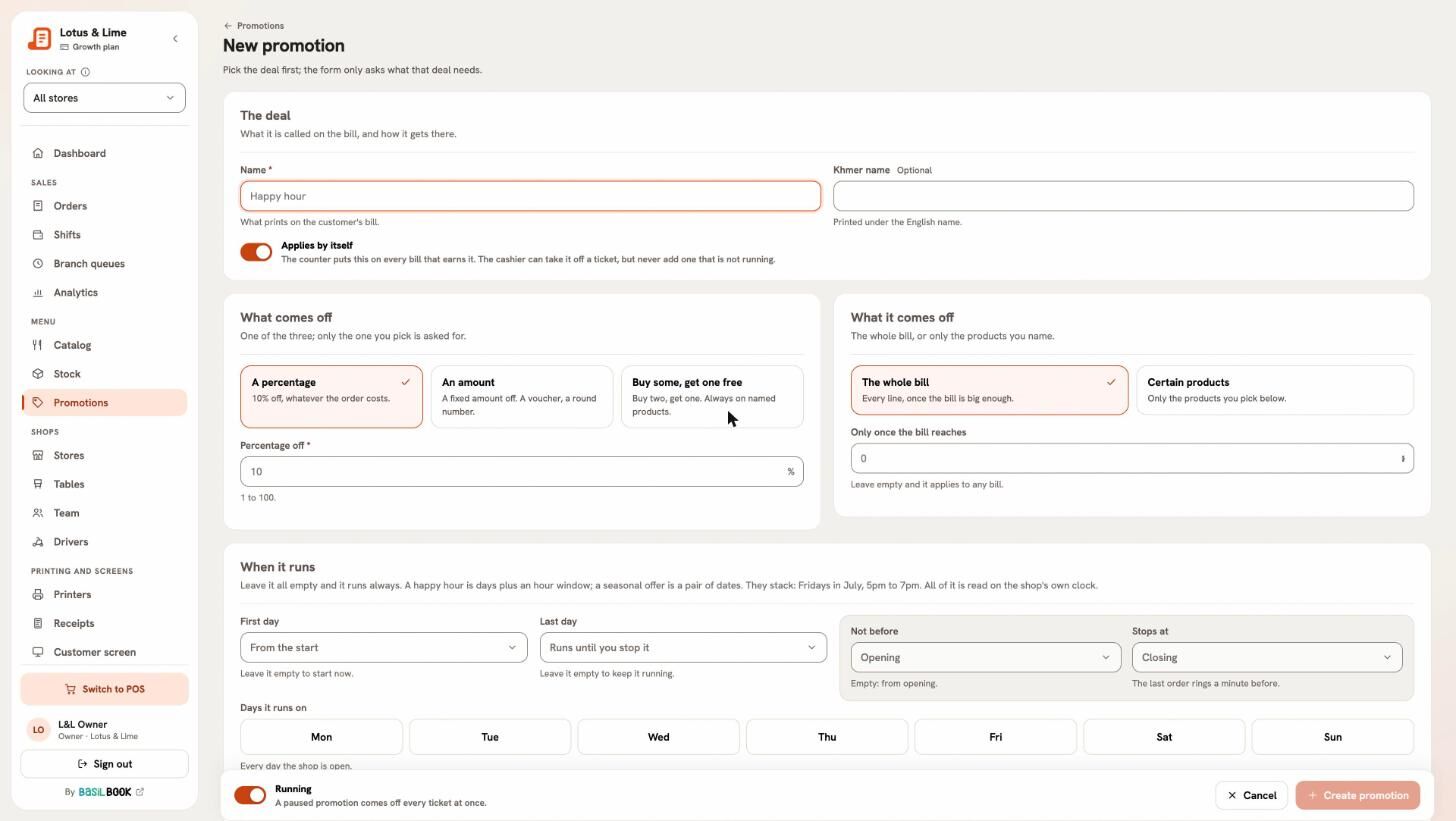
- Under The deal, type the Name — it prints on the customer’s bill — and the Khmer name if you want it.
- Leave Applies by itself on for it to land on every bill that fits. Turn it off for a deal the cashier picks at the till.
- Under What comes off, choose a percentage, An amount, or Buy some, get one free (with They buy and They get free).
- Under It applies to, choose The whole bill (and, if you like, Only once the bill reaches an amount) or Certain products.
- Set When it runs and Where it runs (see below), then press Create promotion.
Rules every promotion follows
- Discounts never add up on each other. If two fit, the one higher in Order of play goes first.
- Tax is worked out on the price after the discount.
- The till cannot change a promotion; it can only take one off a bill.
Turn Running off to pause a promotion without deleting it.
Still stuck?
Tell the Bill&Go team in Phnom Penh what you were trying to do, and we'll walk you through it.