




Try Bill&Go today with Demo Café
A whole café, ready to click through: sign in as the owner or the cashier, take orders, print, close the shift. No sign-up, and it is new again every morning.
The best way to see if a till suits your shop is to use one. So we opened a shop for everyone: Demo Café, a café in Daun Penh with eight tables, a menu of coffee, tea and rice dishes, and every screen of Bill&Go switched on. You need no account, no card and no phone number.
Sign in
- As the owner, in the console at console.billandgo.app or the Bill&Go Console app: email demo@billandgo.app, password iced-latte-at-noon.
- As the cashier, at the till at pos.billandgo.app or the Bill&Go POS app: username demo, business code demo-cafe, password iced-latte-at-noon.
Open both side by side and watch them talk to each other: an order rung up at the till shows on the owner’s dashboard the moment it is placed.
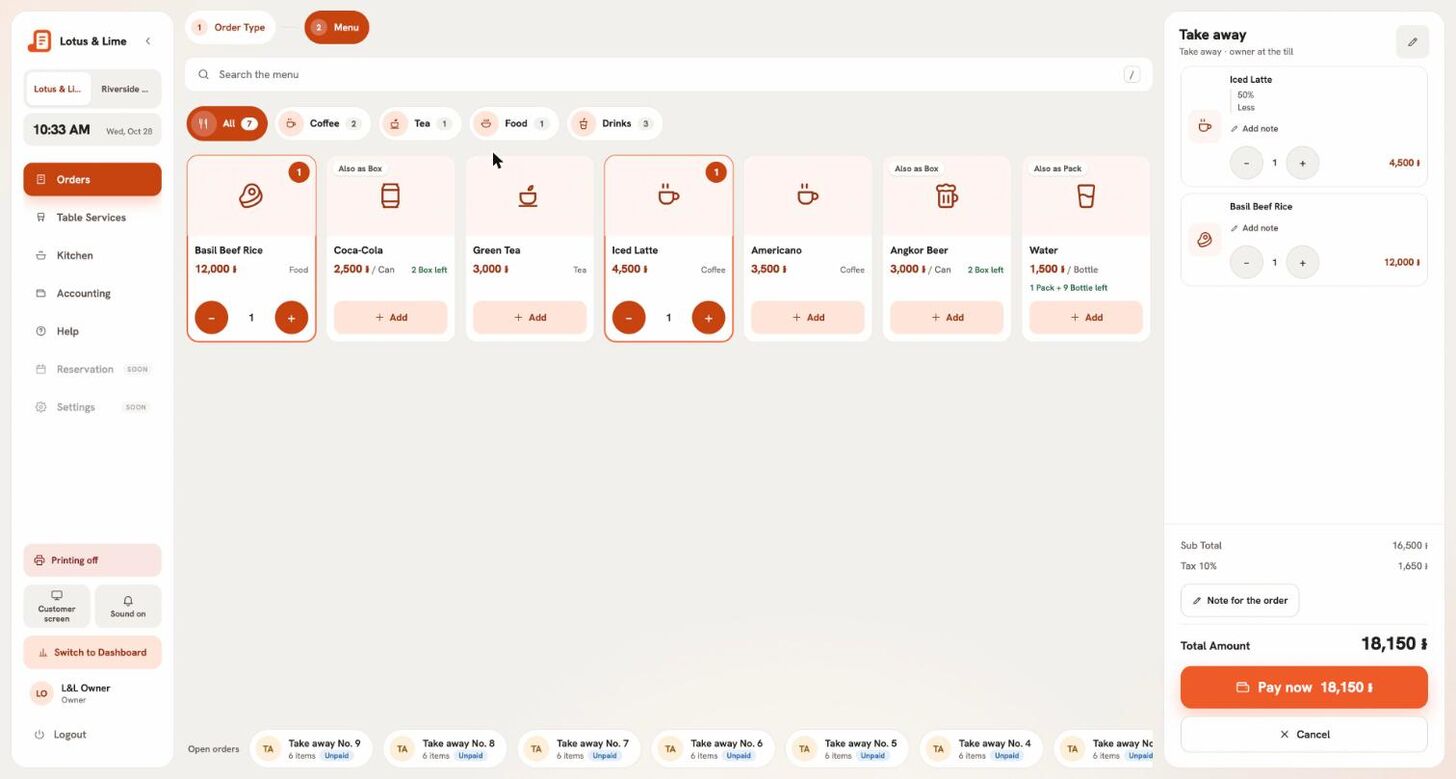
Five things to try
- Open the till. Count a pretend float and press Open the till. A shift starts, and closing it later counts the drawer against it.
- Take an order. Press New order, pick Dine in and a table, add an Iced Latte with 50% sugar and less ice, and press Send to kitchen.
- Take the money. Press Pay, tap the notes the customer hands you, and see the change worked out, rounded the way Cambodian cash is.
- Change the menu. In the console, open Catalog, add a dish with its Khmer name, and find it on the till straight away.
- Close the shift. On the till, open Accounting, then Close the till, and read the summary: sales, each payment method, and whether the drawer counted right.
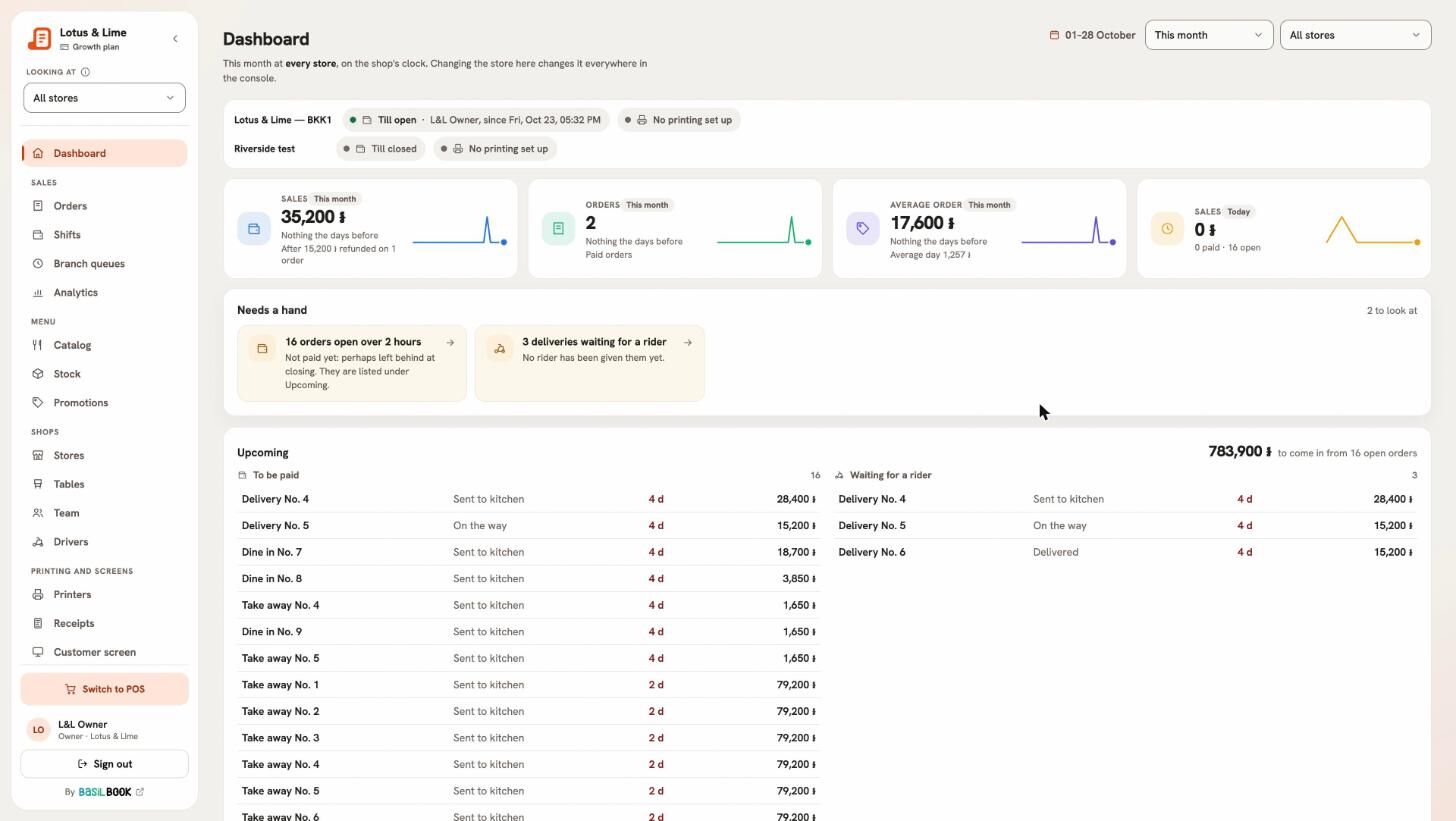
New again every morning
Everyone shares Demo Café, so every night at midnight, Phnom Penh time, it is rebuilt from scratch: the orders, dishes, tables and people visitors added are gone, and the menu is back as it was. Feel free to try anything.
Good to know. So that nobody can lock the next visitor out, a few things are switched off in the demo: changing a password or an email, sending emails, connecting Telegram, BasilBook or ABA PayWay, API keys, billing, and removing a store or a person. Everything else works as it does for a real shop.
When you are ready
Create your own shop — it takes a minute, starts with a month of Pro free, and needs no card. Then follow the first-day checklist in the help centre, or talk to us and we will set it up with you.
Tip. Printing works in the demo too: install Bill&Go Printing on a computer next to a receipt printer, pair it and add your printer under Printers, and the demo’s kitchen tickets print on your own paper.
Still stuck?
Tell the Bill&Go team in Phnom Penh what you were trying to do, and we'll walk you through it.